Connect Memberspot (automatic course access)
Updated
With the Memberspot integration, Rechnungskit automatically grants buyers access to your Memberspot school after payment. This works for one-time purchases through the Rechnungskit checkout and for subscriptions, with no webhook programming of your own.
 Stripe
 Mollie
 PayPal
 Unzer
Unzer- Payment confirmedby the payment provider's notification
- Grant accessthrough the Memberspot API, with the order reference stored on the access
- Activity logevery grant and revocation on the Integrations page
 Access to the offerwith every course the offer bundles in Memberspot
Setup
In Memberspot, create an API key under Settings in the Integrations section.
In Rechnungskit, open Connections → Integrations and paste the key at Memberspot. Rechnungskit checks the connection right away and loads your offers.
Map your products to the Memberspot offers. In Memberspot an offer bundles one or more courses; you manage which courses an offer contains in Memberspot.
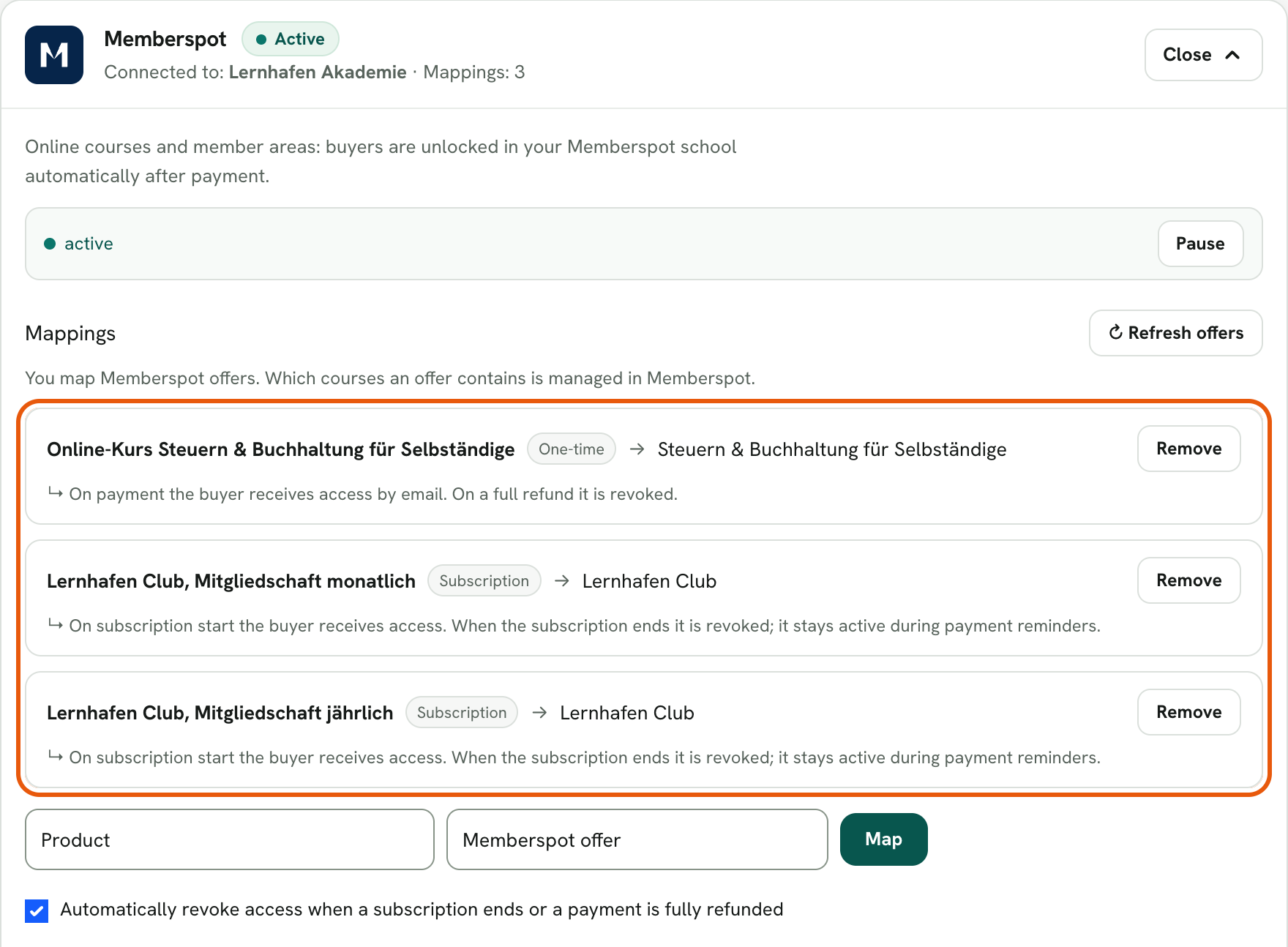
What happens automatically
- When an order for a mapped product is paid, the buyer gets access to the offer. If the buyer is not registered in Memberspot yet, Memberspot creates the account and sends the invitation email with the link to the course platform itself.
- For a subscription, access starts with the subscription, stays in place during payment reminders and is only revoked when the subscription really ends (cancellation at the end of the period, withdrawal, or a failed payment after all reminders). If the buyer pays again afterwards, access is reactivated automatically.
- A full refund of a one-time purchase revokes access. A partial refund leaves access in place.
- If you never want access revoked automatically, switch off the option "Automatically revoke access when a subscription ends or a payment is fully refunded" in the integration settings.
- Test purchases and test subscriptions from test mode unlock access like real purchases. At go-live, Rechnungskit revokes this access again, the same way as after a full refund.
Automatic revocation on refunds works for all checkout payment providers: Stripe, Mollie, PayPal and Unzer. Rechnungskit recognizes the full refund from the payment provider's notification.
Activity log and errors
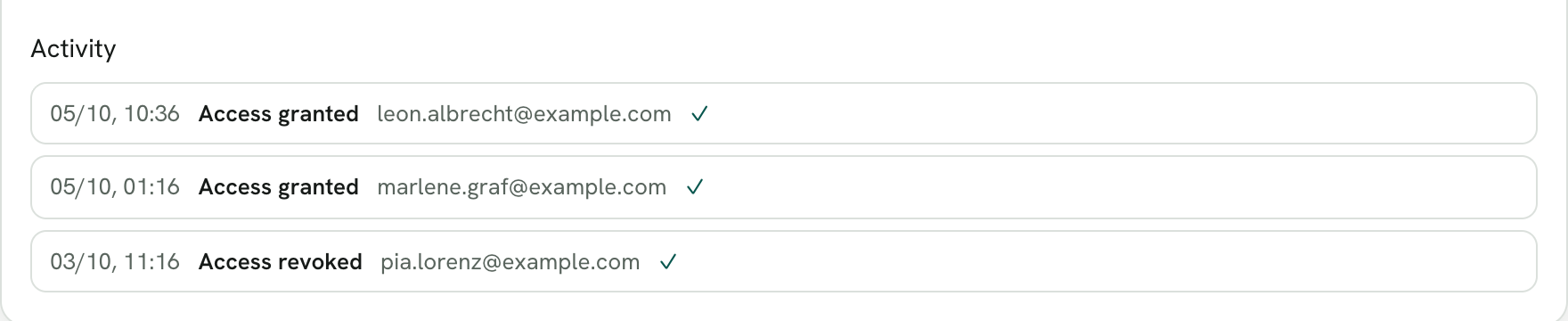
Every grant and revocation appears in the Activity log on the Integrations page. If an action fails permanently (for example after you rotated the key in Memberspot), you get an open task and can repeat the action with one click once it is fixed. If Memberspot is temporarily unreachable, Rechnungskit retries the action automatically for about an hour at growing intervals. Existing access stays untouched, because Rechnungskit never revokes anything because of an error.
Good to know: Rechnungskit stores the order reference on the Memberspot access. If the buyer later changes their email address in Memberspot, revocation and reactivation keep working.
Where to find it in the app
Recent changes
Rechnungskit is not a tax advisory or law firm. This article explains general principles and does not replace advice from a tax advisor (Steuerberater, § 5 StBerG) or a lawyer (§ 3 RDG). Rechnungskit is built for businesses based in Germany and prepares documents, tax rates and bookings automatically. How your specific case is treated remains your decision, ideally together with your tax advisor or a lawyer.