Google tag in the checkout (Google Ads and Analytics 4)
Updated
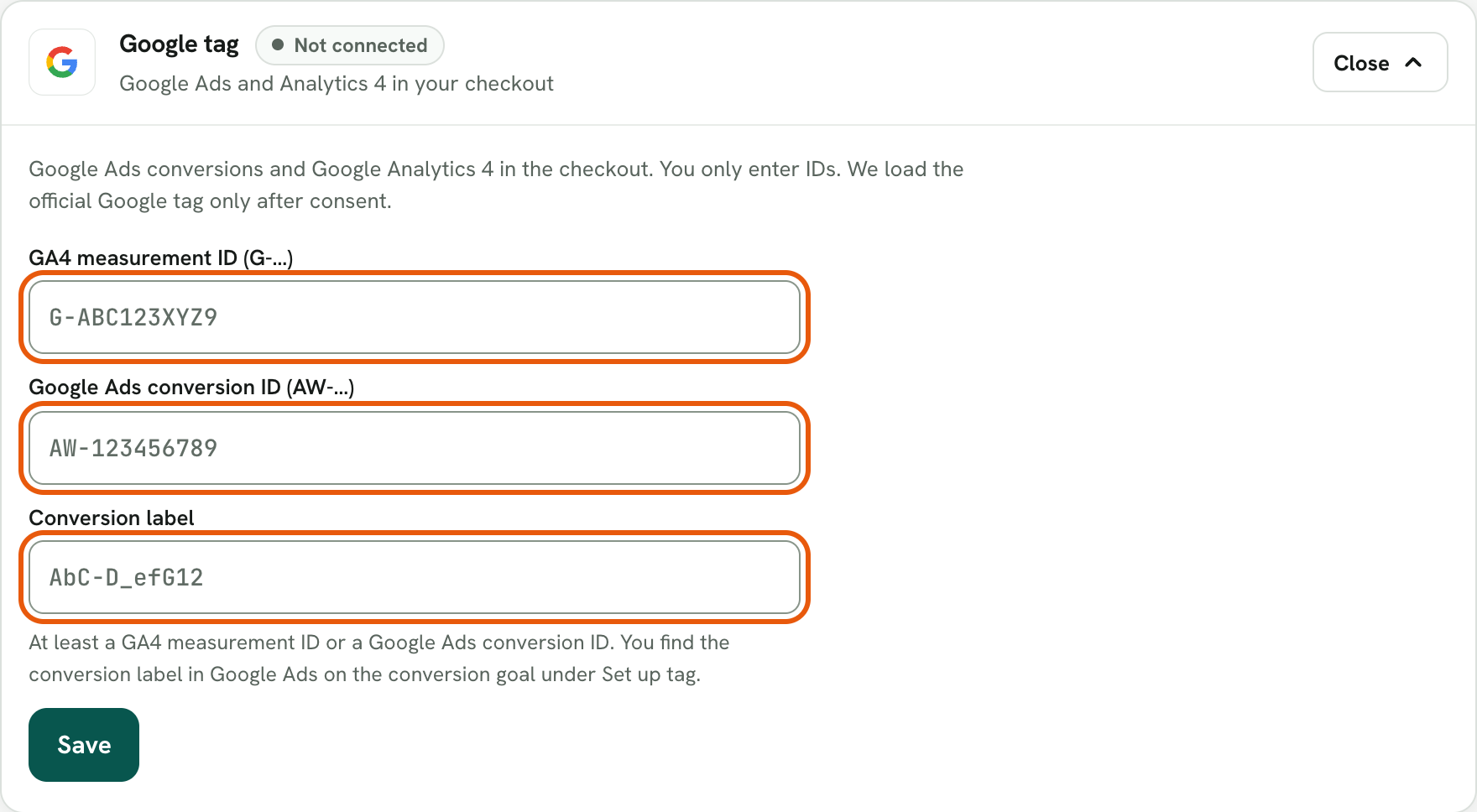
The Google tag measures purchases in the Rechnungskit checkout for Google Ads and Google Analytics 4. Under Connections → Integrations, on the Google tag card (Connect expands the fields), you enter only IDs: the Google Analytics 4 measurement ID (format G- followed by letters and digits) and/or the Google Ads conversion ID (format AW- followed by digits) with the conversion label. Rechnungskit checks the format strictly. There is deliberately no field for your own code or snippets; Rechnungskit adds Google's official loading code itself.
When the tag loads
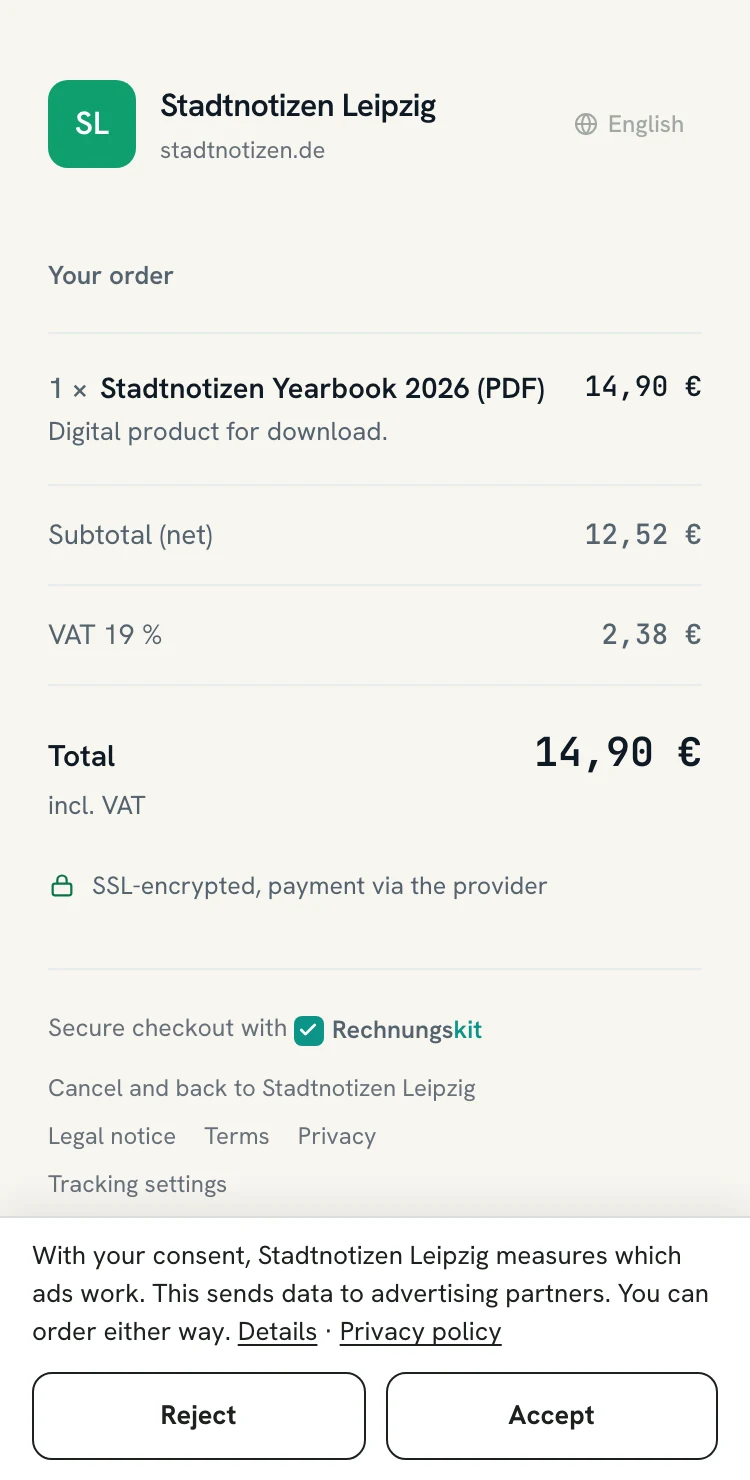
Only after consent. As soon as the Google tag is active and your company details contain a privacy policy URL, the checkout shows the consent bar (details on the help page Consent and cookie banner in the checkout, in German). Only after a click on Accept does the checkout load gtag.js from Google. Without a yes, no Google script runs and the gclid from your ad is not stored. Through its Content Security Policy, the checkout allows only the Google domains the tag needs, and only for you, never for other merchants.
- Consent barappears as soon as the tag is active and your company details contain a privacy policy URL
- DecisionThe buyer clicks Accept or rejects
- Load gtag.jsonly after the click on Accept
- Google domains onlyThe Content Security Policy allows them only in your checkout
Which events are sent
- page_view when the checkout page opens
- begin_checkout as soon as the buyer starts filling in the form
- purchase (GA4) and the Google Ads conversion on the thank-you page, with amount, currency and transaction ID, so Google does not count the purchase twice. For test purchases and test subscriptions from test mode this event stays off.
The tag does not run on the page with the bank details for prepayment or in the customer portal. Rechnungskit does not pass names, email addresses or postal addresses to Google; the checkout sets no user data for enhanced conversions, and Google Signals is switched off. Also check in Google Ads that automatic enhanced conversions are off for this conversion.
What you need to do
Name Google in your privacy policy (Google Ireland Ltd., purpose: conversion measurement and statistics). Check the measurement in Google's Tag Assistant or in the Analytics real-time reports. A server-side report to Google Ads, like the one the Meta integration sends, does not exist yet; Google measures in the browser. Rechnungskit does not replace legal advice.
Where to find it in the app
Rechnungskit is not a tax advisory or law firm. This article explains general principles and does not replace advice from a tax advisor (Steuerberater, § 5 StBerG) or a lawyer (§ 3 RDG). Rechnungskit is built for businesses based in Germany and prepares documents, tax rates and bookings automatically. How your specific case is treated remains your decision, ideally together with your tax advisor or a lawyer.