Agenda instead of DATEV
Updated
Beta: Agenda support is new, and a test import with an Agenda firm is still pending. Best check the first import in a test client in Agenda and report anything odd to support@rechnungskit.de.
Rechnungskit also works with tax advisors (Steuerkanzleien) that use Agenda. Agenda Finanzbuchhaltung reads booking batches in the DATEV format, so Rechnungskit creates the same monthly export as for a DATEV firm, for every shop and every payment provider: a revenue batch, a payment batch and the invoices as documents.
- Choose AgendaSettings, General tab, or your tax advisor in the tax advisor portal
- Check the month"Ready to export?" names what is still missing
- Create the exportBy you, by your tax advisor, or automatically for the previous month
- Transfer › import wizardImport the booking batch first
- Import the documentsThe ZIP file, without unzipping it
- Check flagged bookingsIf an account is missing in Agenda, create it there
Setting up Agenda
On the settings page (/settings/datev), the first card of the General tab asks "Which software does your tax advisor use?". Choose Agenda there. The choice saves right away. The menu entries are then called "Agenda export" and "Agenda settings", and the addresses stay the same. If your tax advisor has access, they can set it themselves on the client's settings page in the tax advisor portal.
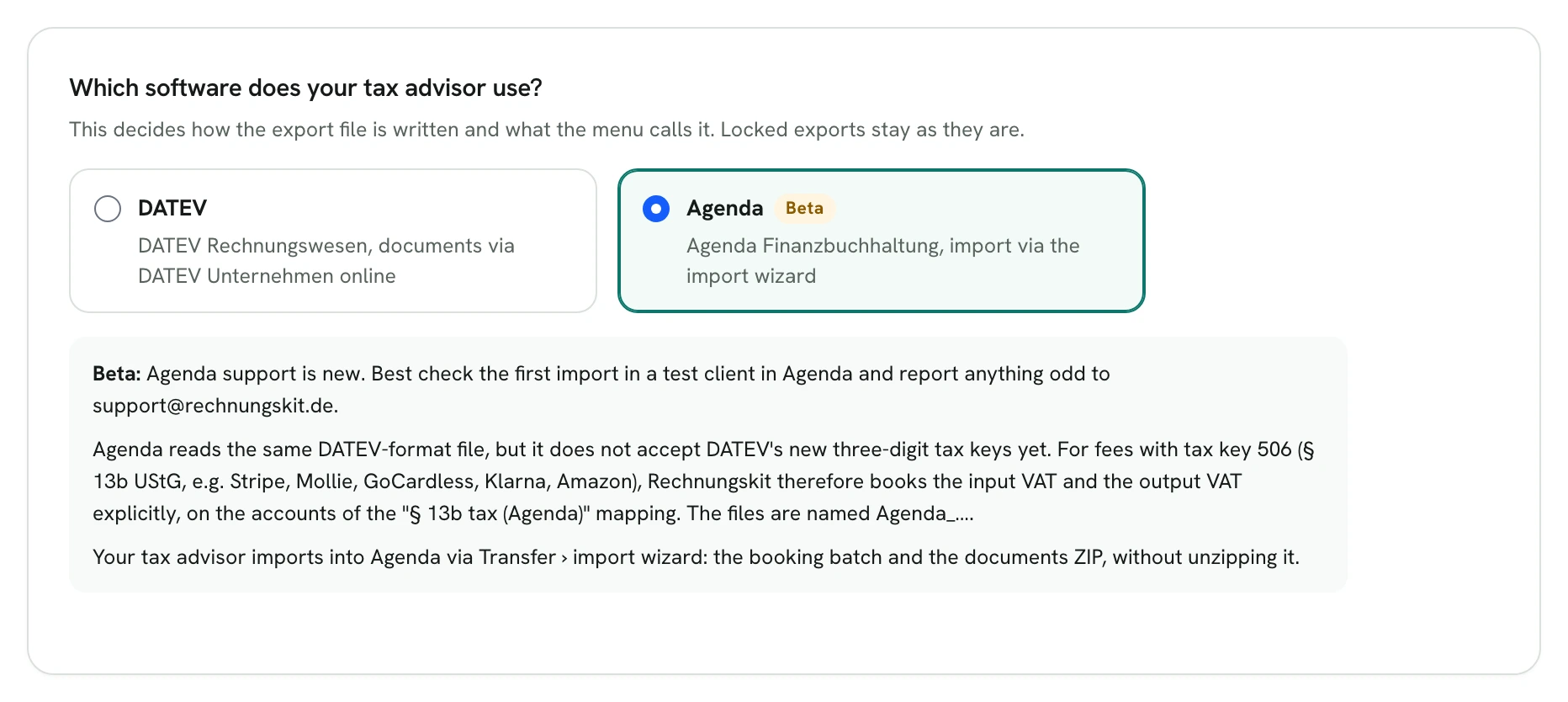
After the switch, the menu, the page and the buttons are named after Agenda:

A firm that works with Agenda in general sets this once in the tax advisor portal under Profile ("Your firm's accounting software"). Clients that connect to the firm after that and have no export yet then start with Agenda. Existing clients keep their setting.
Everything else works as with DATEV: chart of accounts SKR03 or SKR04, consultant and client number, account mappings, debtors, Festschreibung, late exports and the automatic export run for tax advisors. See DATEV export and your tax advisor.
What is different from DATEV
DATEV changed its tax keys (BU keys) from two to three digits. According to the Lexware help article of 7 July 2026, this has caused import errors in Agenda since 30.06.2026, because Agenda has not implemented the change for imports yet (Lexware help for tax advisors, in German).
Most bookings from Rechnungskit carry no tax key at all. Revenue at 19 %, 7 % and 0 %, tax-exempt sales, intra-community supplies and exports book through accounts with automatic tax. Three-digit keys appear in only two places:
- Fees with tax key 506 (reverse charge under § 13b UStG), for example the fees of Stripe, Mollie, GoCardless, Klarna and older Amazon fees. For Agenda, Rechnungskit books no key here. The fee goes net to the fee account, plus a separate line "input VAT under § 13b against output VAT under § 13b" at 19 % of the fee. The accounts are in the "§ 13b tax on fees (Agenda)" mapping: SKR04 1407 against 3837, SKR03 1577 against 1787. The clearing account sees the same amount as with DATEV.
- OSS distance sales to other EU countries (keys 240 and 250). Rechnungskit writes these lines unchanged for now. We are checking with a test import whether Agenda accepts them. Until then, the "Ready to export?" check names these lines so your tax advisor checks them on import.
If one of your own account mappings carries another three-digit key, the form refuses it for Agenda and says why.
Importing into Agenda
The tax advisor imports the files into Agenda Finanzbuchhaltung through Transfer › import wizard: first the booking batch, then the ZIP file with the documents (Lexware help, in German). Don't unzip the documents ZIP, Agenda imports it zipped (Rechnungsrakete help, in German). For Agenda clients, Rechnungskit names the files Agenda_Erloes_….csv, Agenda_Zahlung_….csv and Agenda_Belege_….zip. The export page repeats these steps.
After the import, Agenda marks bookings it cannot assign to an account (Rechnungsrakete help, in German). This happens when an account from the mappings does not exist in Agenda yet.
Where to find it in the app
Rechnungskit is not a tax advisory or law firm. This article explains general principles and does not replace advice from a tax advisor (Steuerberater, § 5 StBerG) or a lawyer (§ 3 RDG). Rechnungskit is built for businesses based in Germany and prepares documents, tax rates and bookings automatically. How your specific case is treated remains your decision, ideally together with your tax advisor or a lawyer.