DATEV export with documents
Rechnungskit creates one EXTF booking batch for revenue and one for payments per month, in SKR03 or SKR04 (the two standard German charts of accounts). Every invoice booking carries a DATEV document link (Beleglink), and the documents come along as a Belegtransfer package. Once a batch is locked, every download is byte-identical.
Why it matters
Between the shop, the payment provider and DATEV there is usually manual work: downloading payment reports, separating fees from sales, matching payouts and sending documents one by one. Each of these steps costs your tax advisor (Steuerberater) time and leaves room for mistakes. Bookkeeping rules also require that bookings, once handed over, stay traceable and are never changed silently.
What goes into the export?
Rechnungskit keeps two batches per month: revenue and payments. The revenue batch holds invoices and cancellation invoices (Stornos), the payments batch holds the money flows plus the fees and payouts of your payment providers. Fees are booked separately and never netted against revenue.
Some cases are booked right away the way DATEV evaluates them:
- OSS distance sales run with tax key 240, destination country and that country's tax rate in the DATEV fields meant for them. DATEV builds the OSS EU report from this.
- Refunds are booked against the money account of the provider that made the refund. A PayPal refund therefore hits the PayPal clearing account, not the Stripe one.
- Foreign-currency documents carry the exchange rate and the euro base amount, with the same rate as on the invoice. More under Foreign currencies.
Booking texts come in two styles: standard (booking type plus document number) or customer-based with country, buyer name and order number. You can also store a cost center (KOST1) per account mapping.
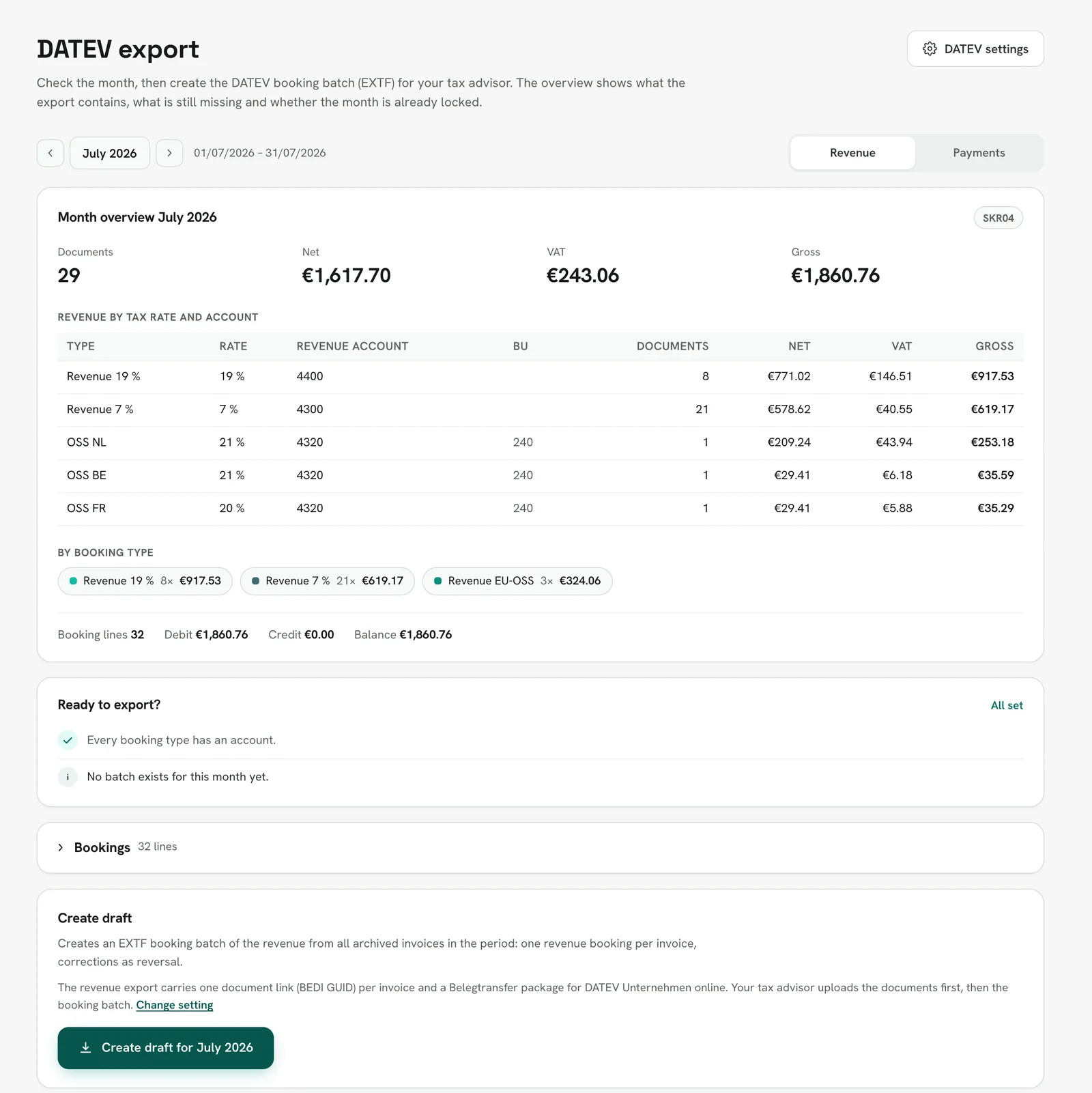
Before the export you check the month. The month overview shows revenue per tax rate and account, for payments the amounts per provider, and "Ready to export?" lists open items such as missing accounts. Then you create the draft:
How do the documents get to the booking?
For every revenue export Rechnungskit builds a DATEV package in the background. It contains the booking batch, the Belegtransfer package with one PDF per invoice and a short guide for your tax advisor. The PDF is the ZUGFeRD invoice itself, so it is also the e-invoice. The export page shows the package, the import order and the protocol:
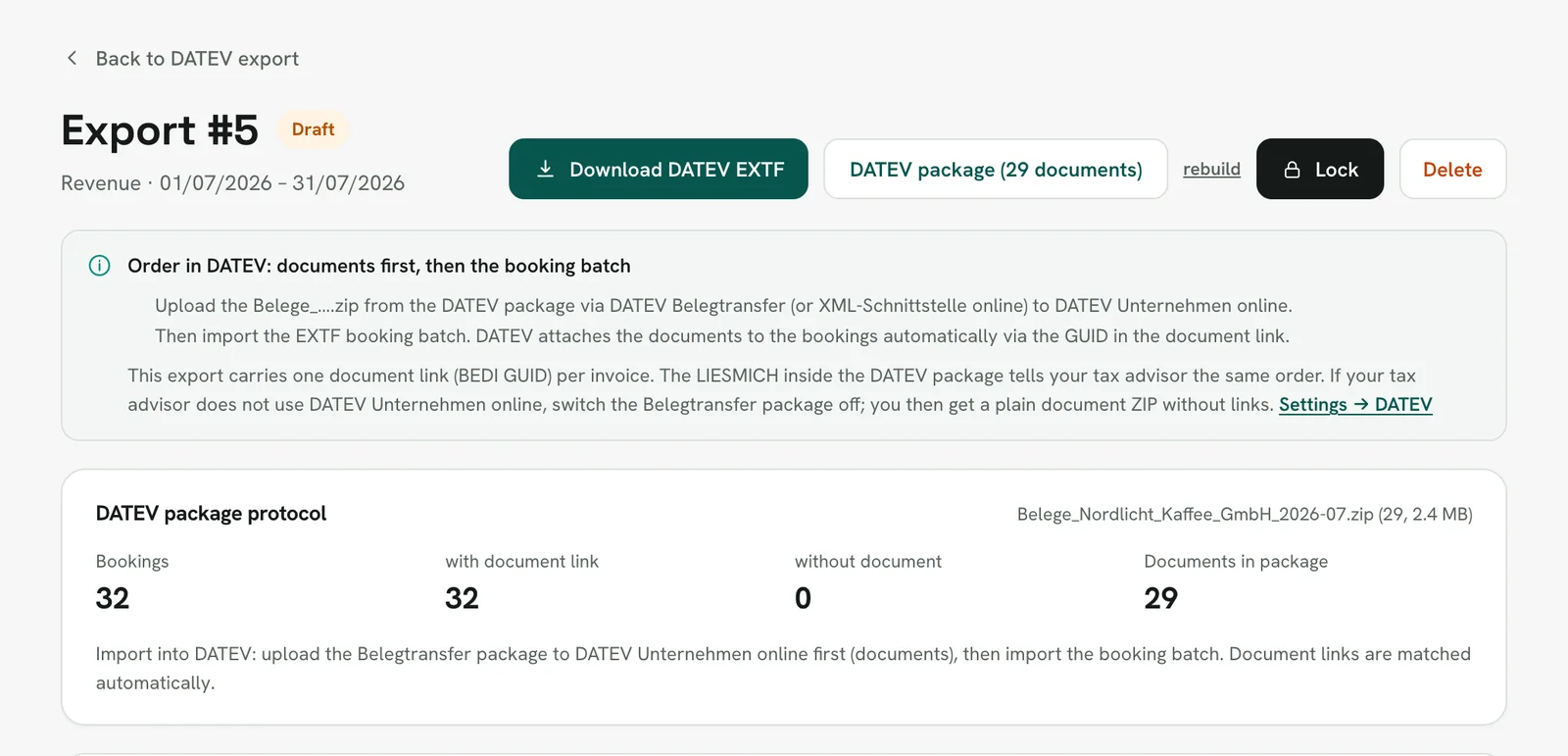
The link works through a GUID that every invoice gets once and keeps in every later export. If the PDF for an invoice is missing, the booking stays without a document link and the log names it. Rechnungskit never creates a link to a file that is not in the package.
If your tax advisor does not work with DATEV Unternehmen online, you switch the Belegtransfer package off. You then get a simple documents ZIP, and the batch carries no document links.
Locking, and cash-basis or balance sheet accounting
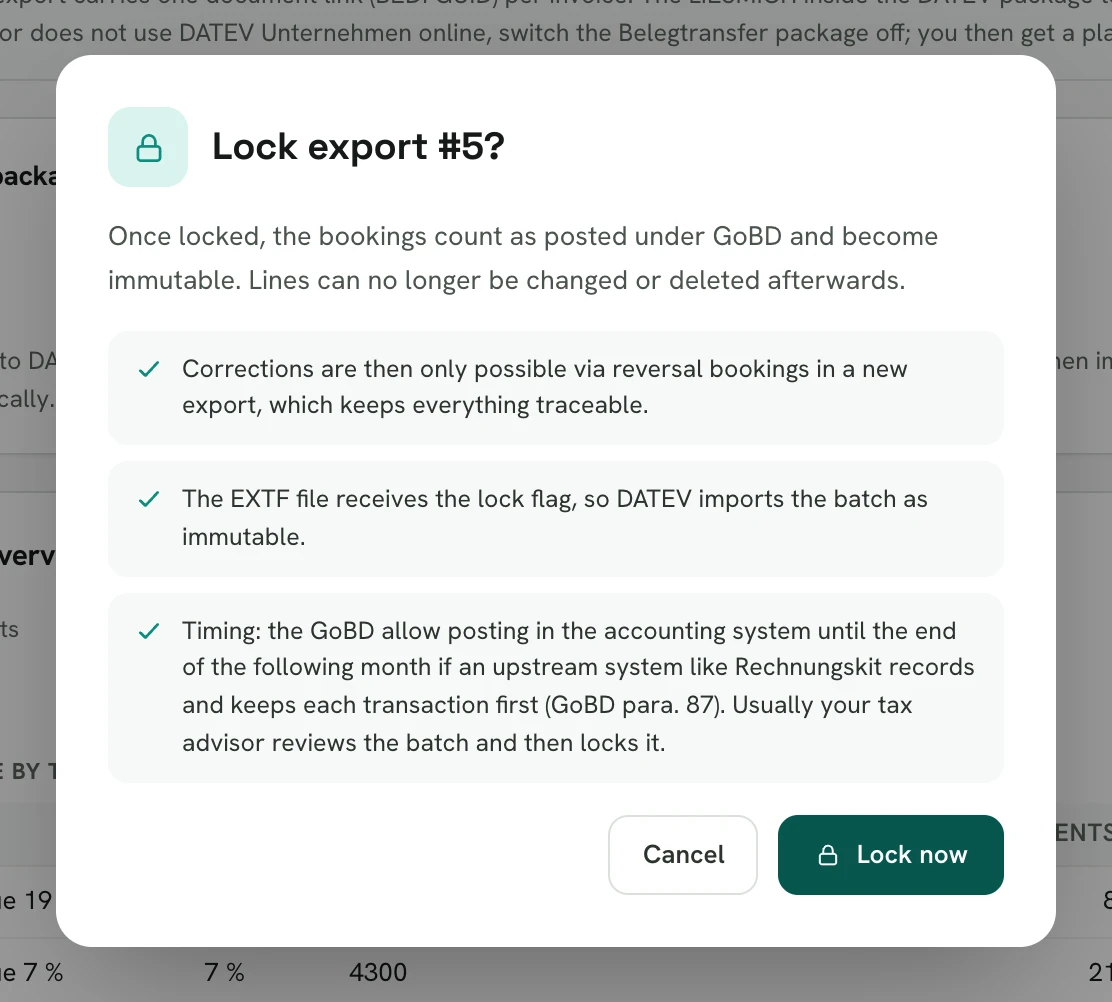
Once you have reviewed an export, you lock it. After that it never changes. This follows § 146 Abs. 4 AO: a booking must not be changed in a way that makes its original content impossible to determine. You may delete drafts and create them again, but not locked batches.
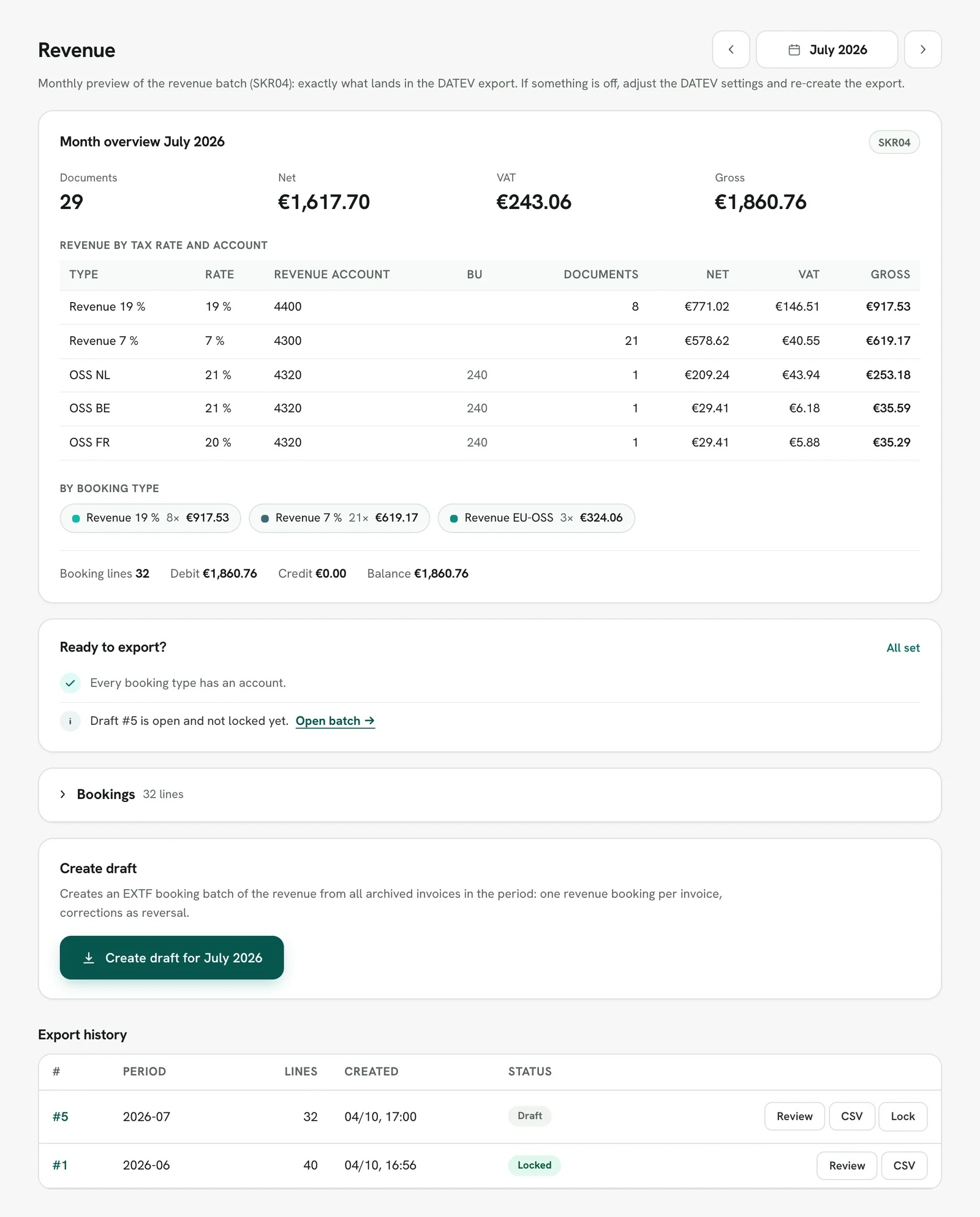
If your tax advisor works in the tax firm access, they check the month there in the same way, create the draft and lock it themselves from the export history:
For the cash-basis income statement (EÜR) the export works with the default settings. For balance sheet accounting (Bilanz), the account roles for revenue recognition, advance payments and voucher liabilities must be confirmed, along with the decision on accruals and deferrals. All accounts are starting values for your tax advisor to review, not tax advice. The technical reference for the interface is under DATEV.
In detail
- Ready-made EXTF bookings for sales, fees and payouts, chart of accounts SKR03 or SKR04, encoded in Windows-1252 as DATEV expects on import
- Every invoice booking carries a DATEV document link; the Belegtransfer package (document.xml plus one PDF per invoice) attaches the document images to the bookings in DATEV Unternehmen online automatically
- Alternatively a simple documents ZIP, named by invoice number, for Pennylane or a document management system
- Accounts receivable (Debitoren) as one collective account, per payment provider, per payment method or as an individual account per customer with a master data file, so open items in DATEV clear per customer
- All nine account roles come prefilled with the DATEV standard accounts from SKR03 or SKR04, confirmed with one click and changeable one by one
- If an account mapping is missing, the preview shows a warning and the export is only created once it is added; you never get a silently incomplete batch
- After locking, every download is byte-identical and verified with SHA-256
- Test documents never appear in the export
Legal basis
- § 146 Abs. 4 AO (Ordnungsvorschriften für Buchführung und Aufzeichnungen): Rules for bookkeeping and records (German Fiscal Code). Bookings must not be changed in a way that makes the original content impossible to determine; locking (Festschreibung) addresses this.
- § 147 Abs. 1 Nr. 4 AO (Ordnungsvorschriften für die Aufbewahrung von Unterlagen): Rules for keeping records. Booking documents must be kept; the document link connects every invoice booking with its document.
- GoBD, BMF-Schreiben vom 28.11.2019: Circular of the Federal Ministry of Finance dated November 28, 2019: principles for proper electronic bookkeeping and document storage.
- GoBD, Zweite Änderung, BMF-Schreiben vom 14.07.2025: Second amendment of July 14, 2025, including changes on storing e-invoices.