Connect Ghost (automatic membership)
Updated
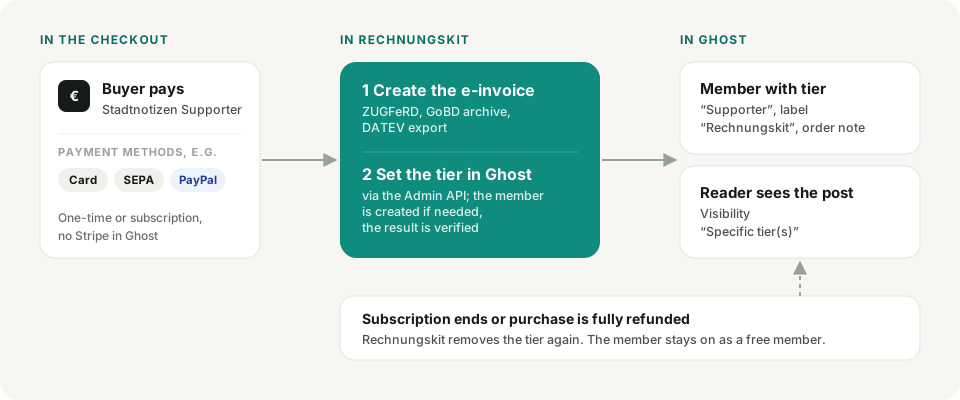
With the Ghost integration, Rechnungskit automatically makes buyers members of your Ghost publication after payment and gives them the right tier. This works for one-time purchases through the Rechnungskit checkout and for subscriptions, with Ghost(Pro) as well as with a self-hosted installation. In Ghost itself, paid tiers only work through Stripe. With Rechnungskit you sell the same tiers through your checkout, with a German e-invoice, DATEV export and all payment methods your checkout offers. You don't need a Stripe account in Ghost for this.
Setup
In Ghost, create a custom integration under Settings, Integrations, named "Rechnungskit", for example. Ghost then shows you the Admin API key in the format id:secret. Copy it; you don't need the Content API key.
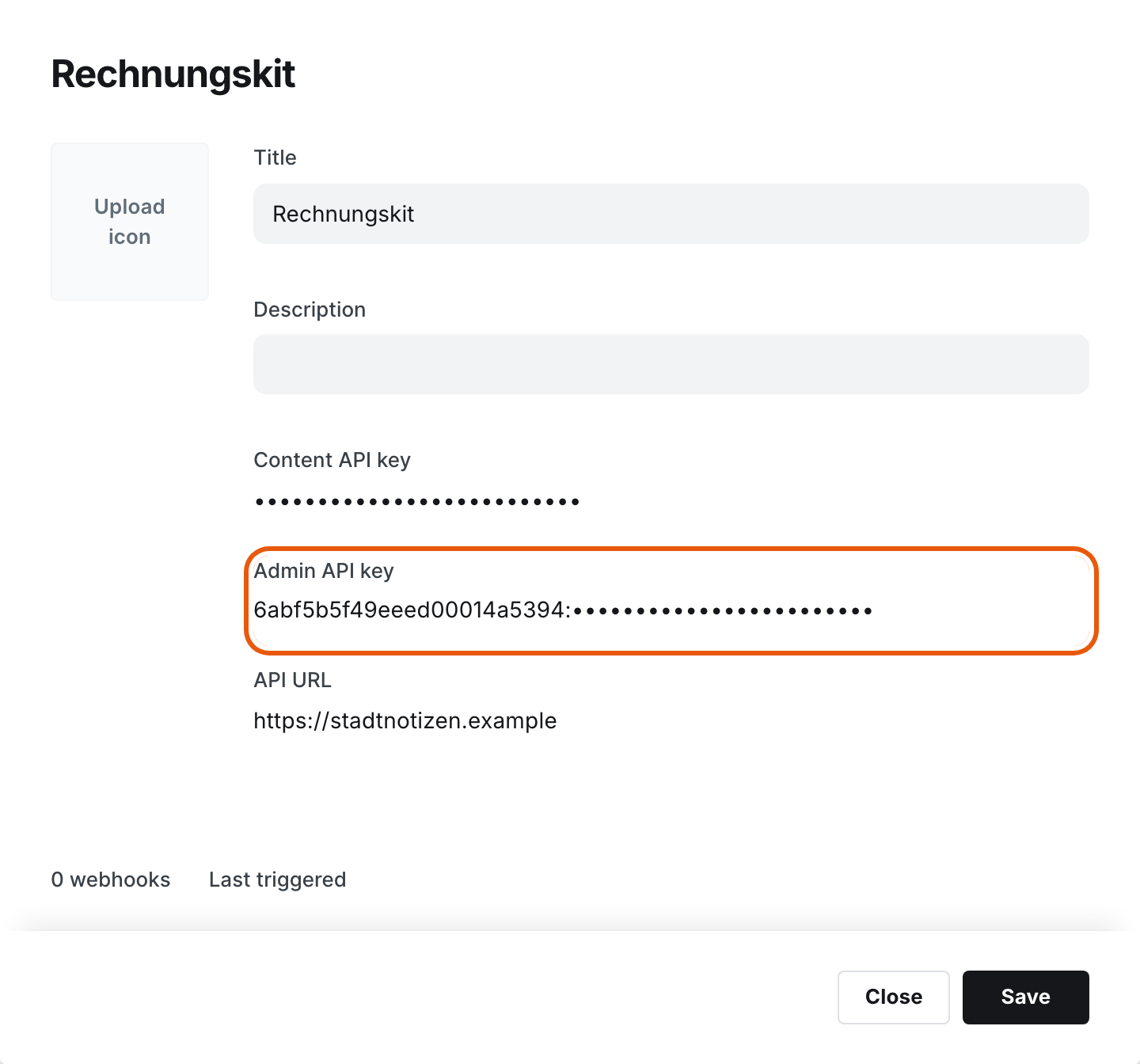
In Rechnungskit, open Connections → Integrations and enter the address of your publication and the Admin API key at Ghost. Rechnungskit checks the connection right away and loads your paid tiers. If your Ghost admin runs on its own domain, enter that admin address. The address must be reachable over https; Rechnungskit does not accept local or internal addresses.

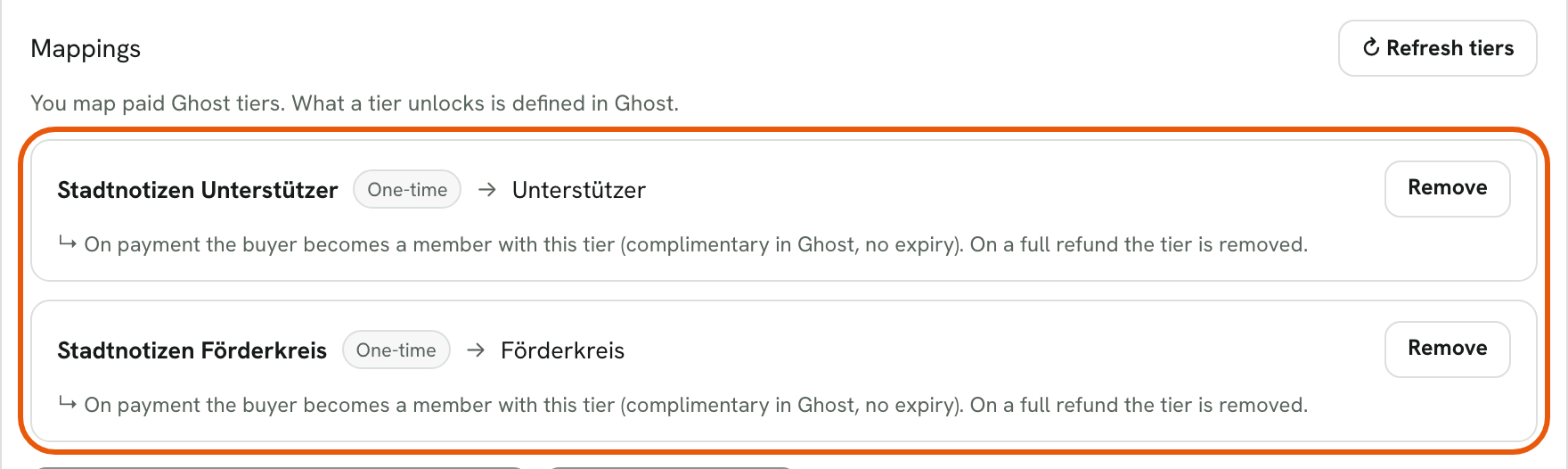
Map your products to the Ghost tiers. One-time purchase and subscription both work. You decide in Ghost what a tier unlocks (posts, newsletters, sections).
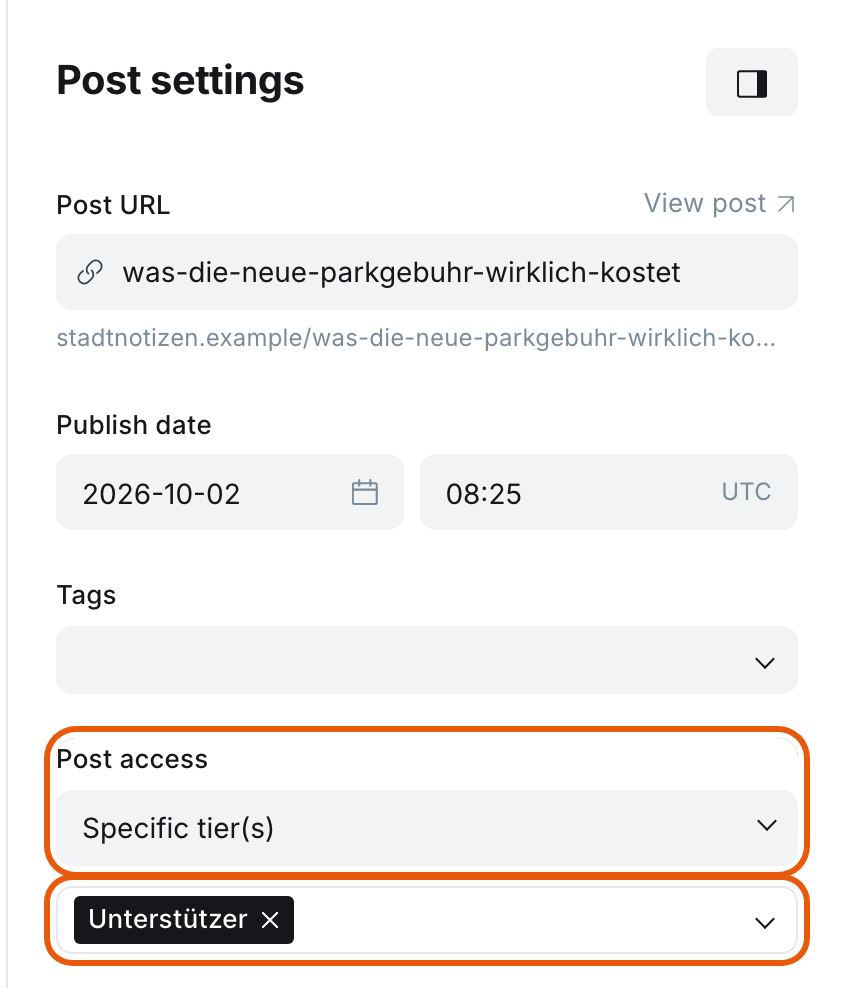
In Ghost, set the visibility of every paid post under Post settings, Post access to "Specific tier(s)" and choose the tier. Why this is safer than "Paid-members only" is explained below under Ghost without Stripe.
Creating a tier when Ghost doesn't show it
Without Stripe, Ghost hides tier management in its settings. All you see there is the free tier and the button "Connect with Stripe".
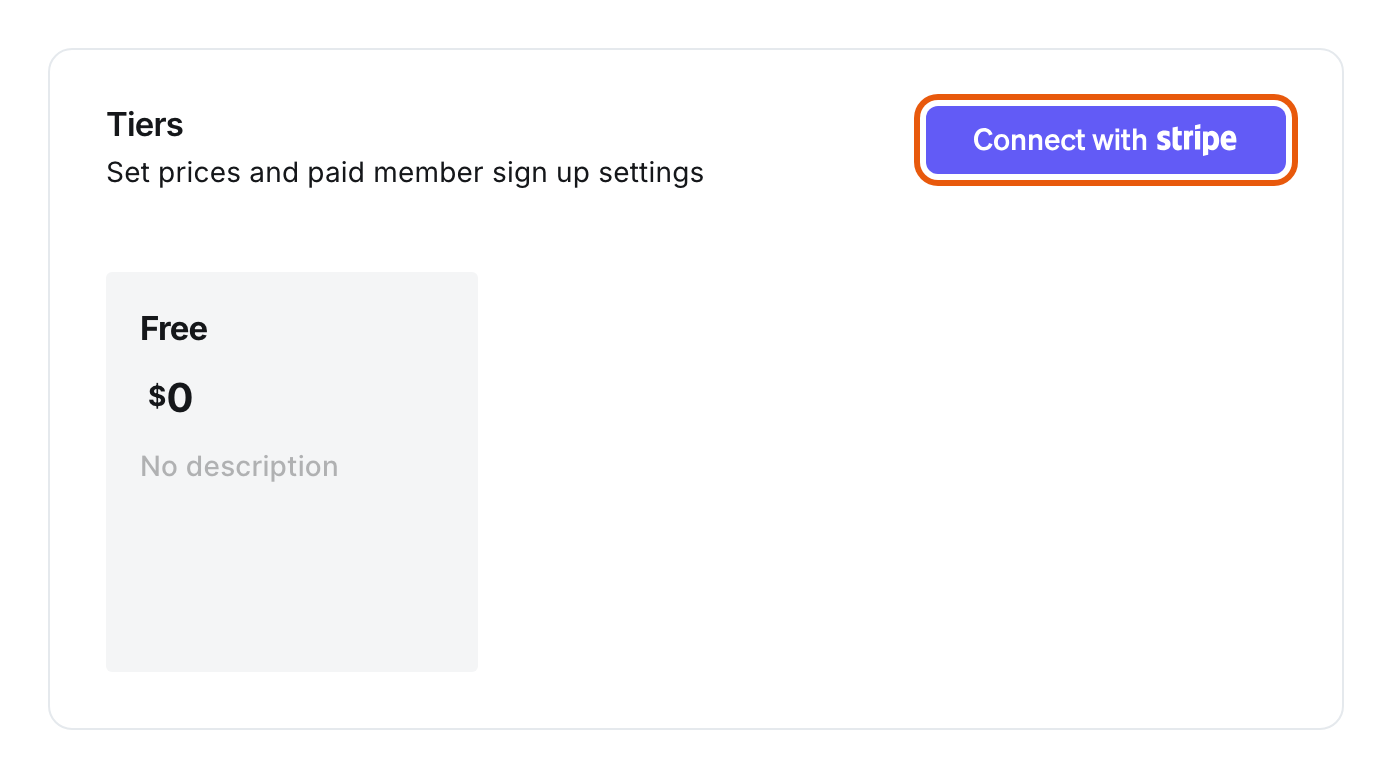
There is still a paid tier: Ghost creates one during setup. It carries the name of your publication and appears in the mapping in Rechnungskit. You create further tiers directly in Rechnungskit. Below the mapping, open "Create a new tier in Ghost", enter a name and monthly price and click "Create tier". Rechnungskit creates the tier through the Admin API and preselects it in the mapping right away.
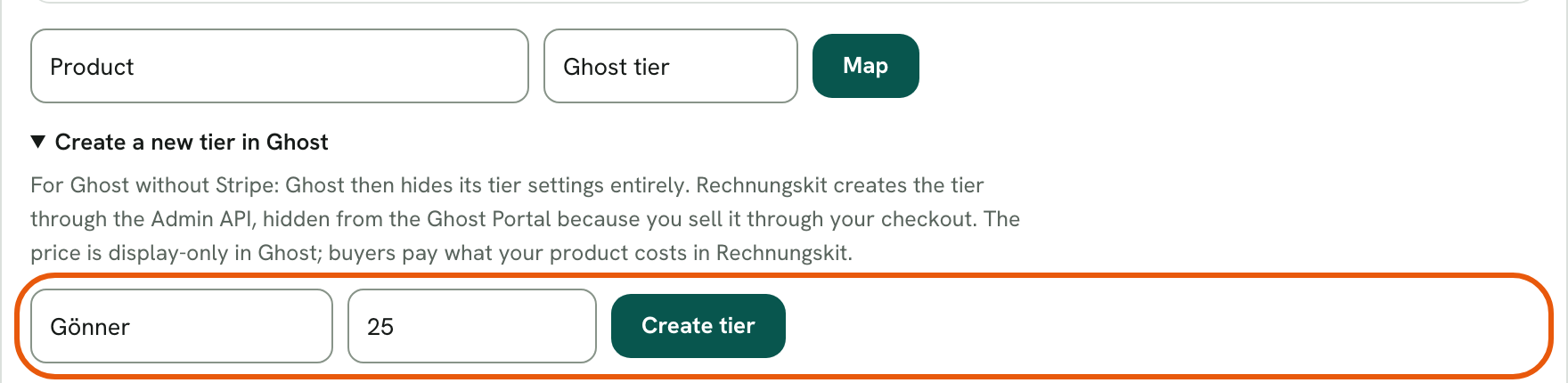
The new tier is hidden in the Ghost Portal, because you sell it through your checkout. The price in Ghost is display only. Buyers pay what the mapped product costs in your checkout.
Payment link in the post
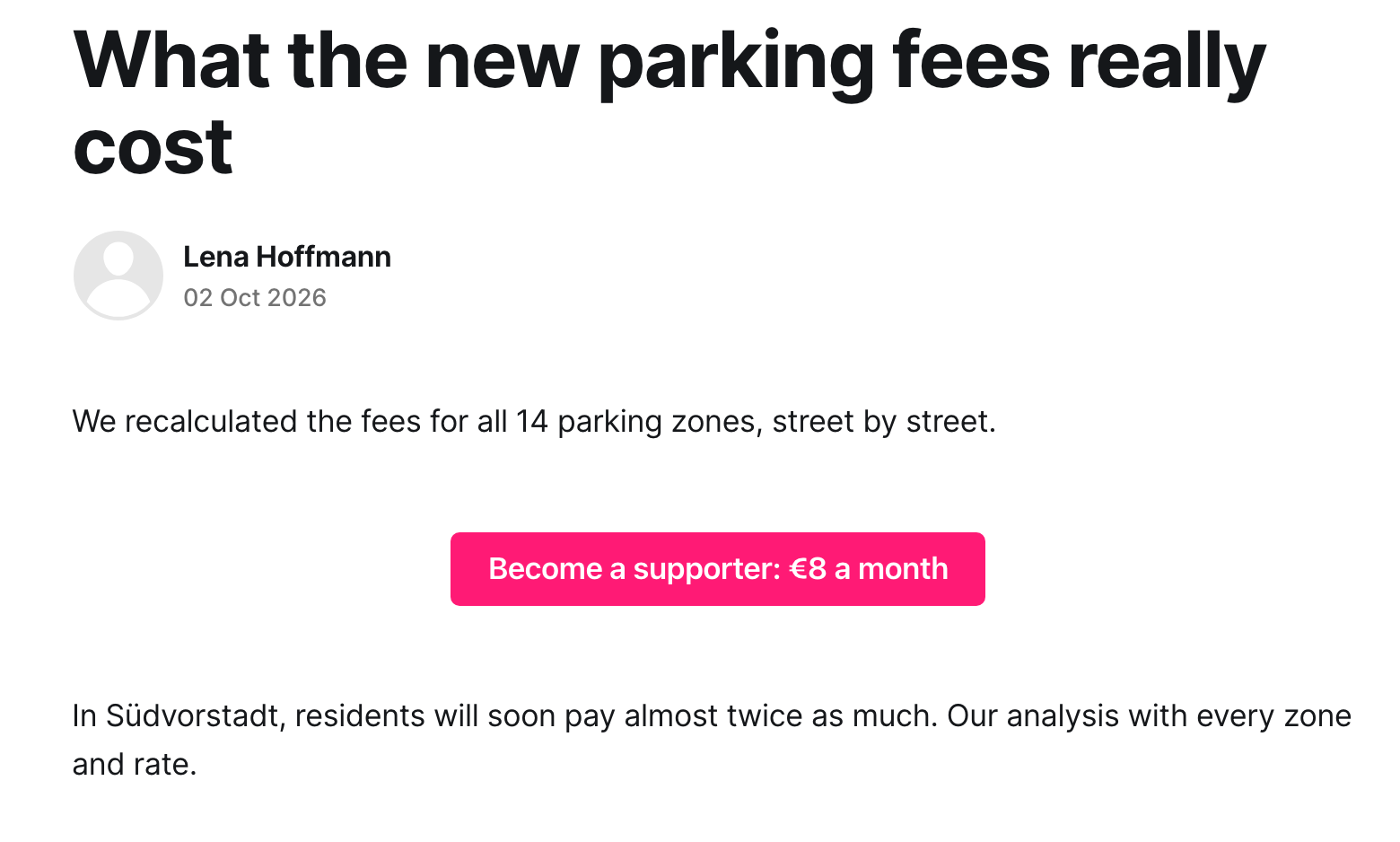
Below a locked post, Ghost shows readers without access its own notice with "Subscribe now". That button leads to the Ghost Portal, which cannot sell anything without Stripe. So put a button block with your product's payment link into the freely readable part of the post, above the divider to the members-only section. You copy the link in Rechnungskit under Products at the product: "Copy link" for a one-time purchase, "Copy subscription link" on the plan for a subscription.
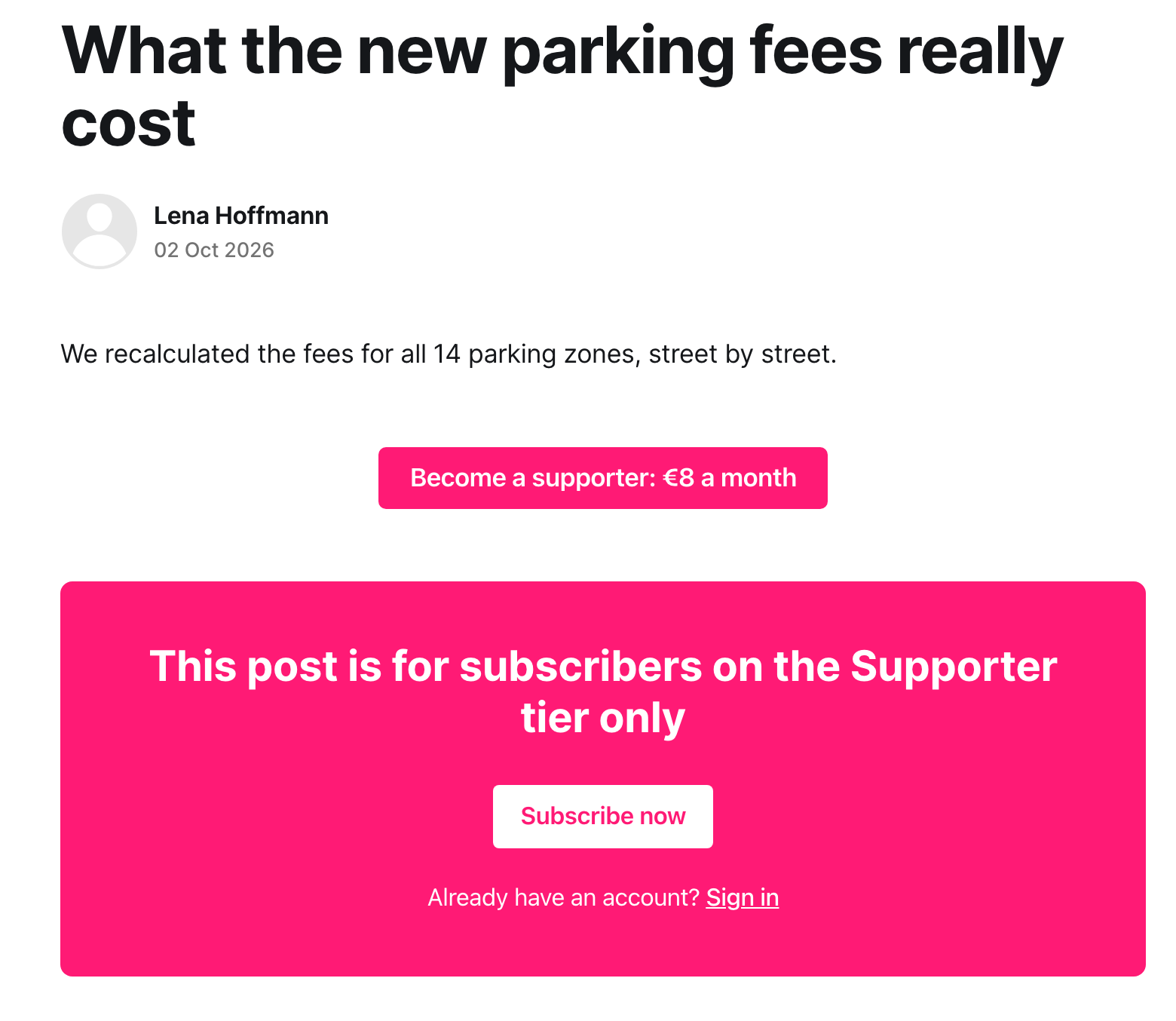
After paying, the buyer signs in with the login link from Ghost's sign-up email and reads the whole post.
What happens automatically
When an order for a mapped product is paid, the buyer gets the tier. If the buyer is not a member in Ghost yet, Rechnungskit creates the member (with name, the label "Rechnungskit" and the order number as a note). Ghost then sends its sign-up email with a login link; you can switch this option off on the Integrations page.
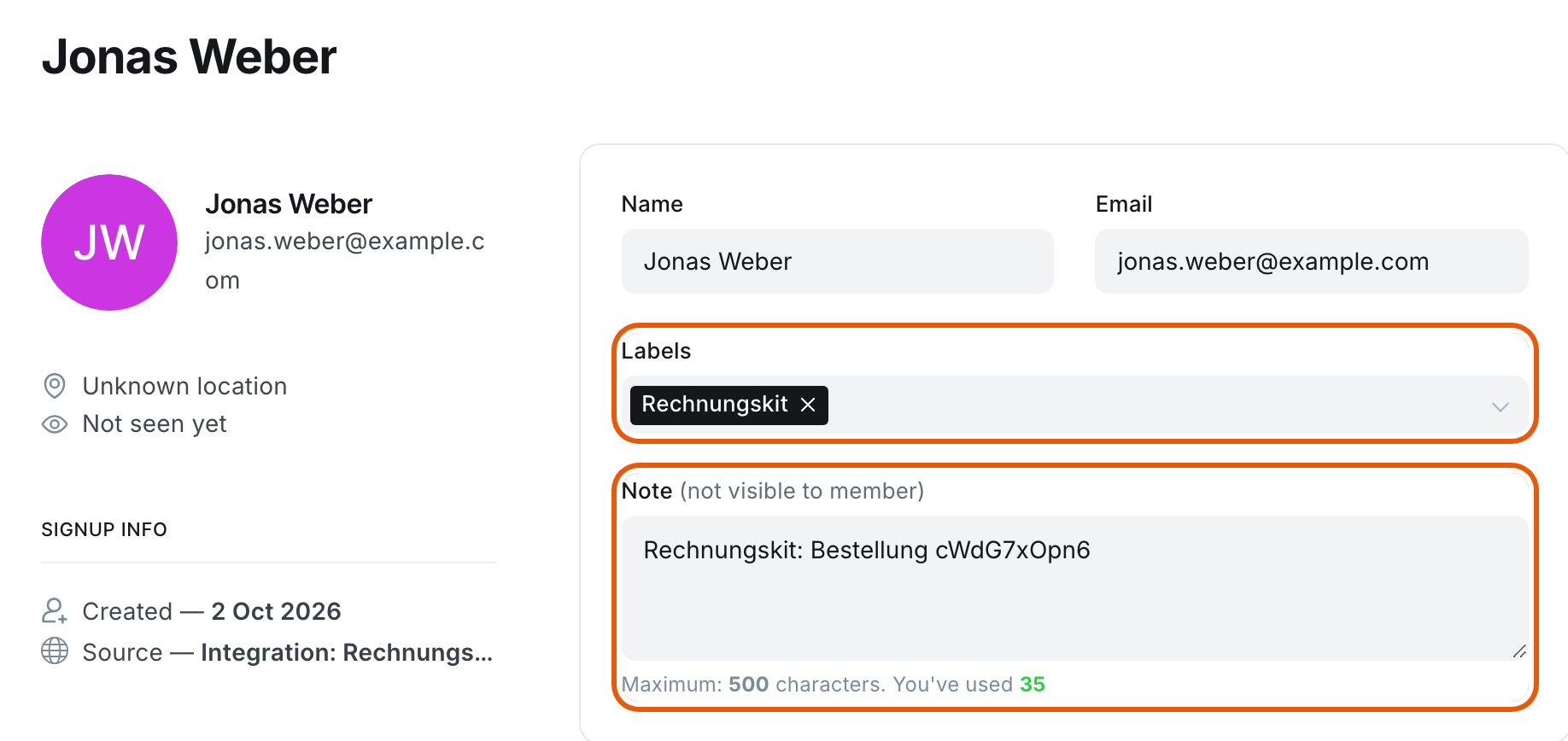
In Ghost the tier is set as a complimentary membership (comped) with no expiry date. A one-time purchase therefore gives permanent access; for a subscription, Rechnungskit decides on start and end.
For a subscription, the tier starts with the subscription, stays in place during payment reminders and is only removed when the subscription really ends (cancellation at the end of the period, withdrawal, or a failed payment after all reminders). If the buyer pays again afterwards, the tier is set again automatically.
A full refund of a one-time purchase removes the tier; the member remains as a free member. A partial refund leaves the tier in place.
Rechnungskit only removes the tier it granted itself. If the member has a different tier by then, nothing happens.
If you never want access revoked automatically, switch off the option "Automatically revoke access when a subscription ends or a payment is fully refunded" in the integration settings.
Test purchases and test subscriptions from test mode assign the tier like real purchases. At go-live, Rechnungskit removes these tiers again, the same way as after a full refund.
Automatic removal on refunds works for all checkout payment providers: Stripe, Mollie, PayPal and Unzer. Rechnungskit recognizes the full refund from the payment provider's notification.
Newsletter
By default, new members are not subscribed to your newsletters. Advertising by email generally requires prior express consent (§ 7 Abs. 2 Nr. 2 UWG, the German Act against Unfair Competition), and the purchase alone does not replace it. The exception for existing customers only applies under narrow conditions, among them a notice of the right to object already when the address is collected (§ 7 Abs. 3 UWG). If you obtain consent elsewhere, you can switch on the option "Subscribe new members to the publication's default newsletters" on the Integrations page. Existing members stay unchanged in any case.
Ghost without Stripe
The integration does not need a Stripe connection in Ghost. Whether a reader sees a post is decided by Ghost alone, based on the member's status and tier. New buyers are created with the tier and can read right away.
There is one limitation. Without Stripe, Ghost only changes the tier of existing members, not their status: if a previously free member buys, they stay "free" in Ghost, and if their subscription ends, they stay "comped". With "Specific tier(s)" this doesn't matter, because only the tier counts there. With "Paid-members only" the status decides. So set paid posts to "Specific tier(s)".
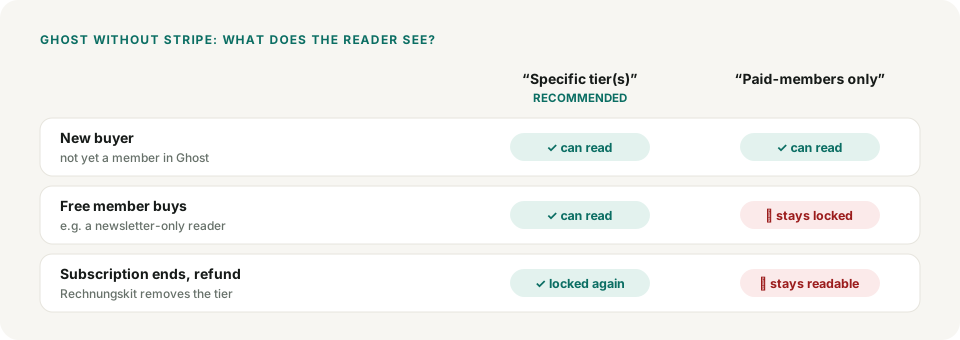
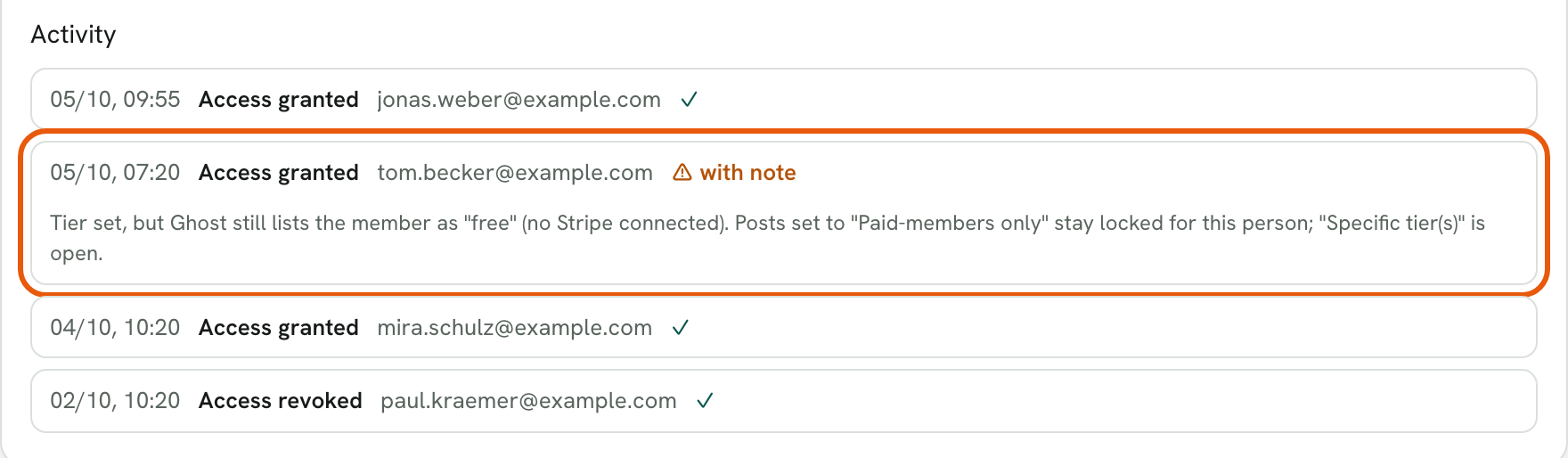
After every change, Rechnungskit checks what Ghost actually applied. If only the status is missing, the action appears in the activity log with a note, and the Integrations page shows a notice about Ghost without Stripe. If the tier is missing, you get an open task.
Limits and errors
- In Ghost a member can hold only one complimentary tier at a time. If the same member buys a second mapped product, the new tier replaces the old one.
- If a member already has a paid Stripe subscription in Ghost, Ghost rejects an additional tier. Rechnungskit then creates an open task so you can sort out the case in Ghost.
- The identity in the third-party system is the buyer's email address. If a member changes their email in Ghost, Rechnungskit no longer finds them when revoking and leaves the tier unchanged.
- Every grant and revocation appears in the activity log on the Integrations page. If an action fails permanently (for example after you rotated the key in Ghost), you get an open task and can repeat the action with one click once it is fixed. If Ghost is temporarily unreachable, Rechnungskit retries the action automatically for about an hour at growing intervals. Existing access stays untouched, because Rechnungskit never revokes anything because of an error.
Where to find it in the app
Recent changes
Rechnungskit is not a tax advisory or law firm. This article explains general principles and does not replace advice from a tax advisor (Steuerberater, § 5 StBerG) or a lawyer (§ 3 RDG). Rechnungskit is built for businesses based in Germany and prepares documents, tax rates and bookings automatically. How your specific case is treated remains your decision, ideally together with your tax advisor or a lawyer.