Connect GoCardless
Updated
GoCardless collects SEPA direct debits. Rechnungskit turns them into invoices automatically, archives them in line with GoBD (the German rules for electronic bookkeeping) and prepares the DATEV export.
 Your GoCardless account
- Webhook with secretevery message is verified cryptographically; unverified ones are never accepted
- Wait for confirmedonly the confirmed collection creates the invoice; the payment date is the collection date
- Take over the payoutas a whole and with its individual items
 DATEV payments batchits own GoCardless clearing account, fees and payout
Setup
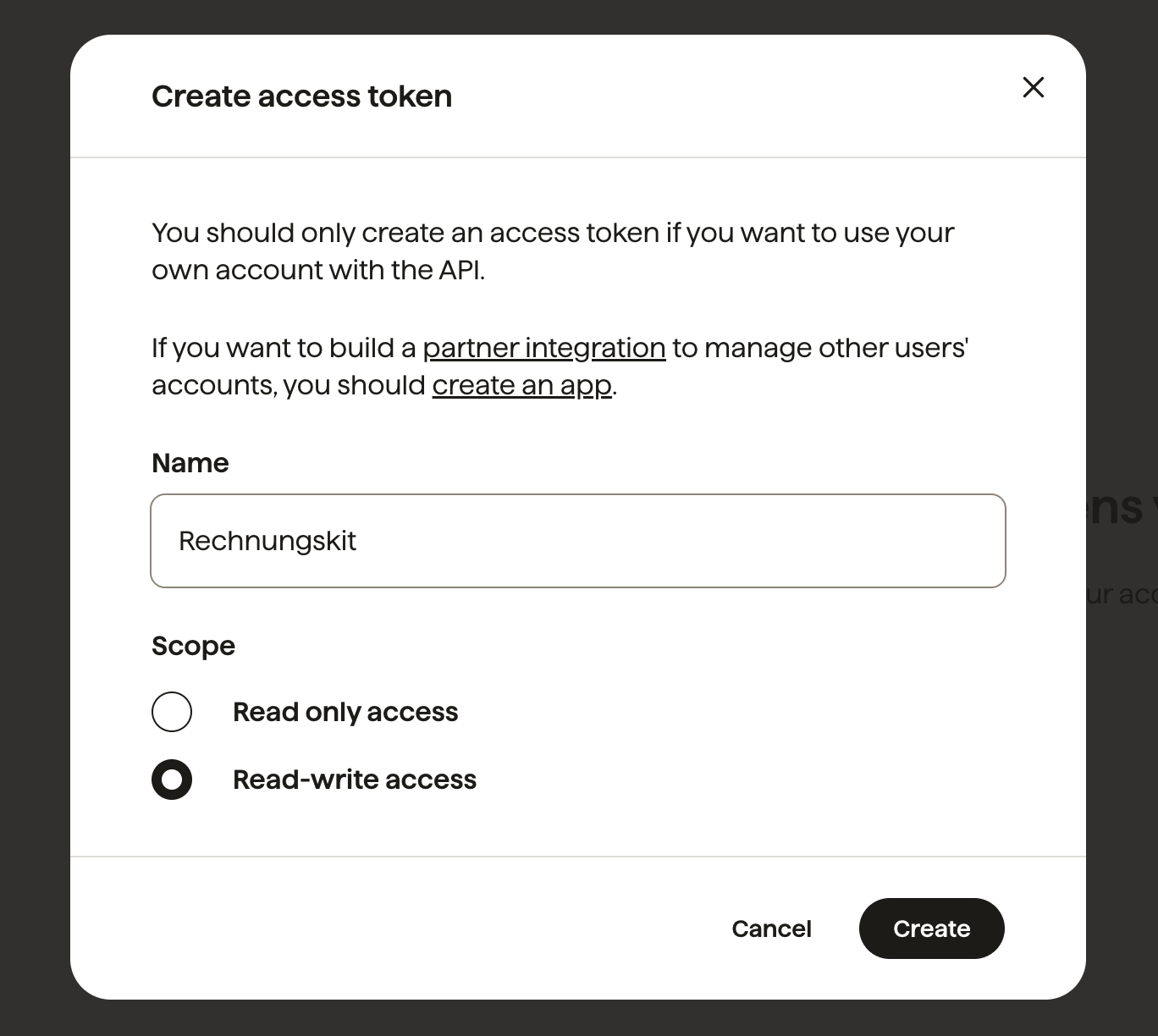
- GoCardlessCreate an access tokenDevelopers → Access tokens, scope Read-write, in the live account
- RechnungskitEnter the tokenConnections → Connect → GoCardless. Step 2 then shows the webhook URL
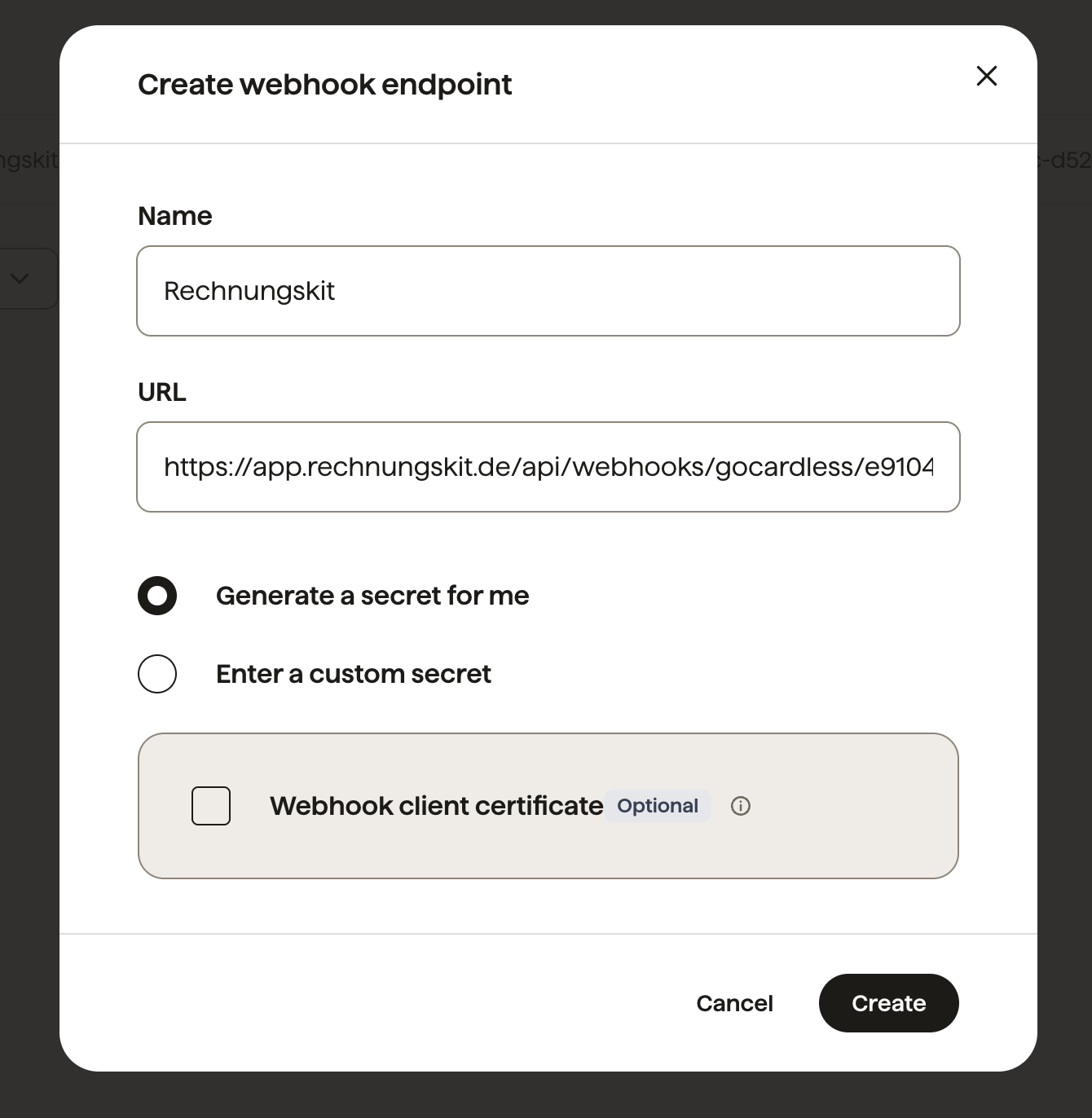
- GoCardlessCreate the endpointwith this URL, then click the endpoint in the list and copy the secret
- RechnungskitPaste the secretthis activates the connection
In the GoCardless dashboard, go to Developers → Access tokens and create a new token with the scope Read-write (direct link: https://manage.gocardless.com/developers/access-tokens?action=create). Rechnungskit needs Read-write so it can verify the webhook; it never initiates payments. Important: use the token of your live account, even if you are only testing Rechnungskit. A sandbox_ token connects the empty GoCardless sandbox, where your real direct debits never show up.
In Rechnungskit, go to Connections → Connect, add a payment provider, choose GoCardless and enter the access token. Step 2 then opens right away as a dialog with the webhook URL and a direct link to the GoCardless webhook page (https://manage.gocardless.com/developers/webhook-endpoints, in the sandbox manage-sandbox.gocardless.com).
Create an endpoint there with this URL (name it Rechnungskit, for example; "Generate a secret for me" is fine; the optional webhook client certificate is NOT needed, because every message is verified cryptographically with the secret). The secret is not shown when you create the endpoint: click the new endpoint in the list, copy the secret and paste it into the dialog, which activates the connection. If you close the dialog, the connection stays paused (the card shows "Webhook missing" with the button "Set up webhook"). GoCardless reports payments only by webhook, so without it nothing arrives. That is why you cannot activate the connection without a stored secret.
Unlike with Stripe or Unzer, Rechnungskit cannot create the webhook itself, because GoCardless offers no API for it. Hence the manual entry.
When the invoice is created
- pending_submissionWaiting to be submittedno invoice yet
- submittedAt the bankcan still fail, no invoice yet
- confirmedCollectedinvoice is created; the payment date is the collection date
- paid_outPaid outin a payout with fees
Only when GoCardless reports the collection as confirmed (status confirmed). A direct debit passes through interim states over several days and can still fail. Under GoBD an archived invoice cannot be changed and could only be reversed with a cancellation invoice (Storno). So Rechnungskit deliberately waits for the confirmed collection. The payment date is the actual collection date.
Returned direct debits
A returned direct debit (Rücklastschrift) does not create an automatic cancellation invoice. The goods or service were delivered; only the payment came back. Rechnungskit reopens the receivable and creates a task under /payments. Whether a correction is needed, for example as a bad debt under section 17 UStG (German VAT Act), is something you decide with your tax advisor.
Fees and payouts
GoCardless bundles collections into payouts and lists the deducted fees separately. Rechnungskit imports both automatically: the payout as a whole and its individual items. The DATEV export contains a separate clearing account (Geldtransit) for GoCardless, the fees as their own booking and the payout to your bank account. You can see payouts under /payouts.
By default the payments batch books a collection as GoCardless clearing to customer account (SKR03 1364, SKR04 1464), the fees collected per payout as bank charges against clearing (SKR03 4970, SKR04 6855), and the payout as bank against clearing (SKR03 1200, SKR04 1800). A returned debit books customer account to clearing, which reopens the receivable.
Limits
- The webhook has to be entered by hand in the GoCardless dashboard (there is no API for it).
- No connection without a webhook secret: without the secret no message could be verified as genuine, and unverified webhooks are never accepted.
- Payments before the confirmed collection deliberately do not create an invoice yet.
Where to find it in the app
Recent changes
Rechnungskit is not a tax advisory or law firm. This article explains general principles and does not replace advice from a tax advisor (Steuerberater, § 5 StBerG) or a lawyer (§ 3 RDG). Rechnungskit is built for businesses based in Germany and prepares documents, tax rates and bookings automatically. How your specific case is treated remains your decision, ideally together with your tax advisor or a lawyer.