New design, pricing, expenses and bank: what changes for your account
Since November 17, every account has a new design. This post also covers the new pricing, expenses in every account and bank connections, and which of it applies to existing accounts.

A lot has happened at Rechnungskit over the last few weeks. This post puts everything that affects existing accounts in one place. The short version: your data and settings stay put, and your base fee stays at 9 euros.
A new design since November 17
Since November 17, every account has a new look and a new menu. Only where you find things has changed, and your links still work. The menu now has seven entries: Overview, Invoices, Payments, Orders, Products, Expenses and Accounting. Related pages sit as tabs at the top. Under Invoices, for example, you'll find All, Needs you, Open items and Corrections, and under Payments there's a Bank tab.
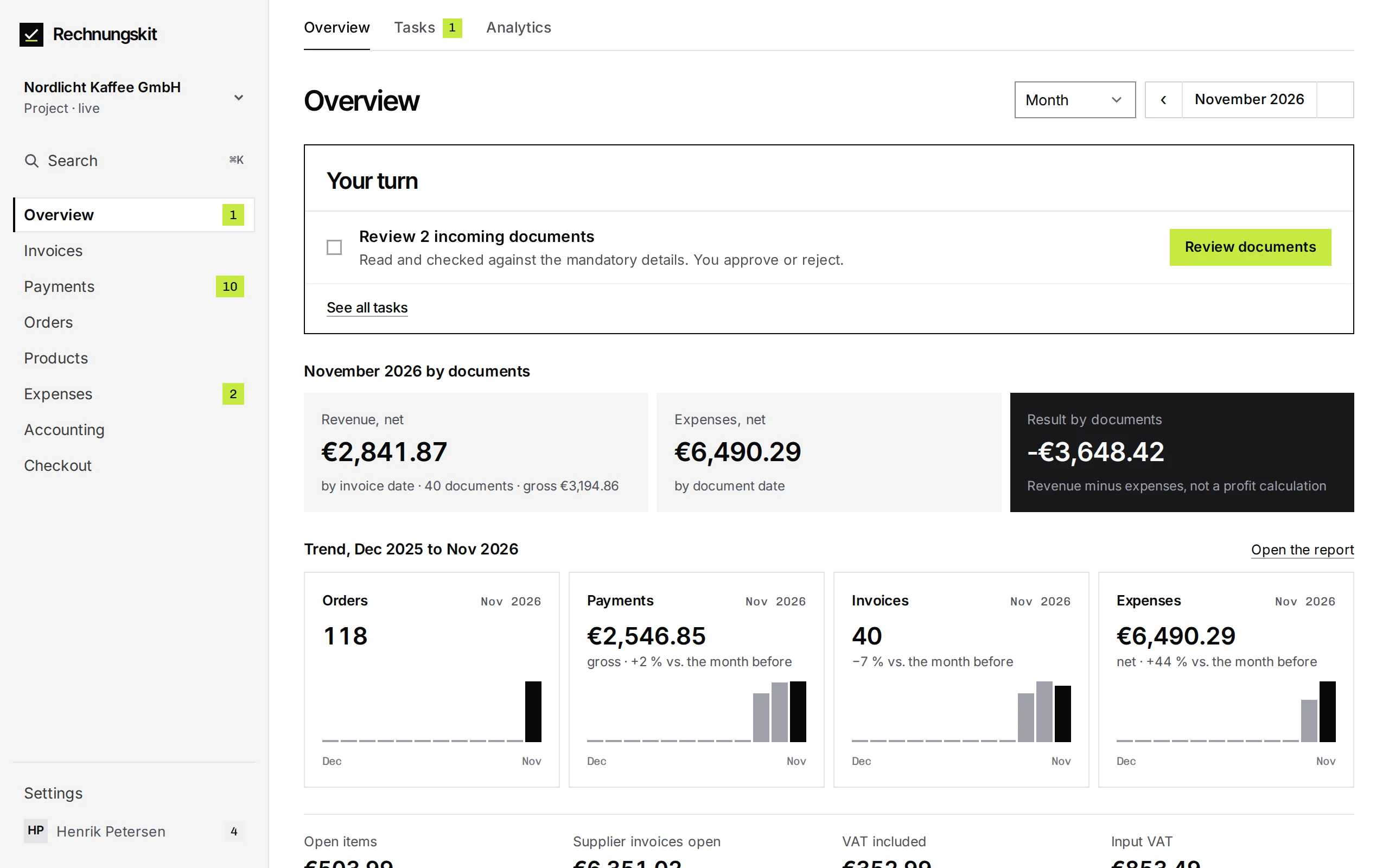
Overview has its own Tasks tab, and the number next to a menu entry tells you how much is waiting there. Checkout only appears in the menu once you've switched on Checkout or subscriptions. Anything you don't use yet is under Settings, More, Discover features. Settings now have their own sidebar, and "Back to the app" takes you back.
Looking for something? ⌘K (Ctrl+K on Windows) searches every page. You can ask Kit at the bottom of the sidebar or with ⌘J (Ctrl+J). While your account is still in test mode, a black bar at the top shows the "Go live" button. A few rarely used pages will get the new look over the next few days.
Pricing: existing accounts stay at 9 euros
Since November 12, new accounts are on new pricing: a base fee of 29 euros a month with one bank account included, and 9 euros a month for each further one. On top of that, as before, 3 to 15 cents per invoice. All prices plus statutory VAT.
None of this changes anything for existing accounts. Every account created before November 12, 2026, whether in test mode or live, keeps its 9 euro base fee and its current per-document prices for as long as it stays continuously active. If you cancel and come back later, you start on the new plan. The old plan includes no bank account, so each bank account you connect directly costs 9 euros a month there, starting no earlier than the month of your first document.
A few changes apply to everyone, old accounts and new. Cancellations and invoice corrections no longer count as documents, and neither does cancelling a self-billing invoice. Incoming documents and other expenses never count. Test mode no longer expires. If nobody logs in for 90 days, you get an email, and a test account that never went live is deleted if nobody logs in during the following 30 days either.
If you stop selling, you can switch to archive mode for 9 euros a month. You keep your archive, exports and access for your tax advisor, and no new documents are created. Also new is a founder discount for companies founded less than 12 months ago: no base fee for 6 months from go-live, requested under Settings, Plan and billing. It can't be combined with the old 9 euro plan. All figures are on the pricing page, the details in the help article Pricing and billing.
Expenses in every account
Since November 11, Expenses is switched on in every account, with no request and no extra charge. Rechnungskit now takes care of your suppliers' invoices too. Each project has its own document inbox. You forward invoices there, upload them or send them through the API. Rechnungskit reads them, checks the required details and puts them up for your approval.
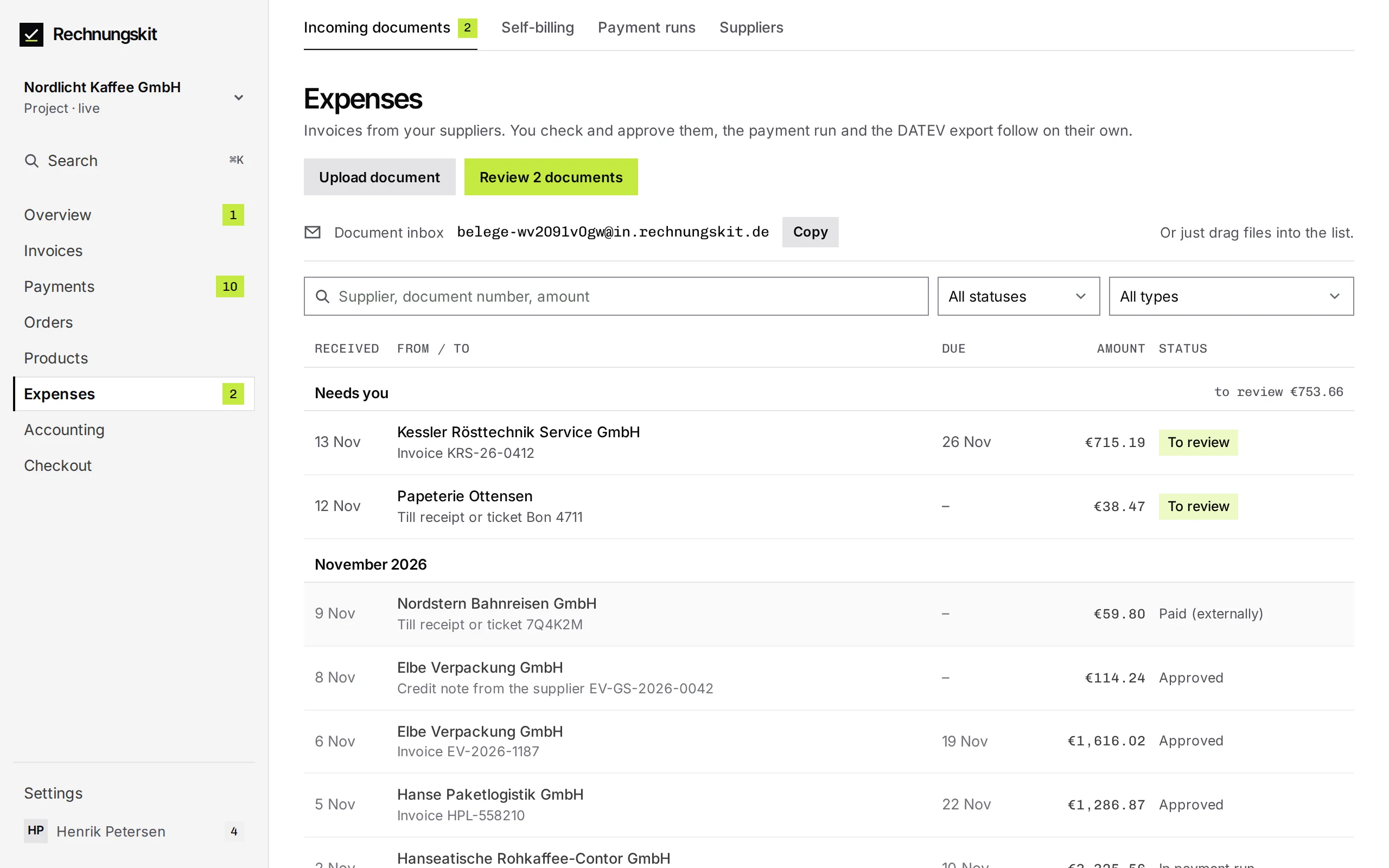
Getting started got easier on November 14. You can drop several files into the upload area at once, the upload starts right away, and Rechnungskit works out the supplier while reading the document. On your phone, you can take a photo of a receipt directly. If you set up forwarding in Gmail, Rechnungskit shows you Google's confirmation email with the code. More in Checking and approving incoming documents (in German).
You can settle commissions, purchases or creators' services with a self-billing invoice, in the app or through the API. A self-billing invoice counts as a document, just like an invoice. Approved documents turn into a payment run, a SEPA file for your online banking. You upload your bank statement as camt.053 or CSV, and Rechnungskit matches it against your documents. The guides are under self-billing and commission statements and payment runs and bank reconciliation (in German).
Bank reconciliation and bank connections
Since November 10, bank reconciliation only suggests matches that really fit. Rechnungskit checks the number in the payment reference, the IBAN, the name, the amount including any early payment discount, and the date together. The amount alone is never enough. Each suggestion lists its reasons, such as "Name matches" or "Same amount", and "Accept" applies it in one click.
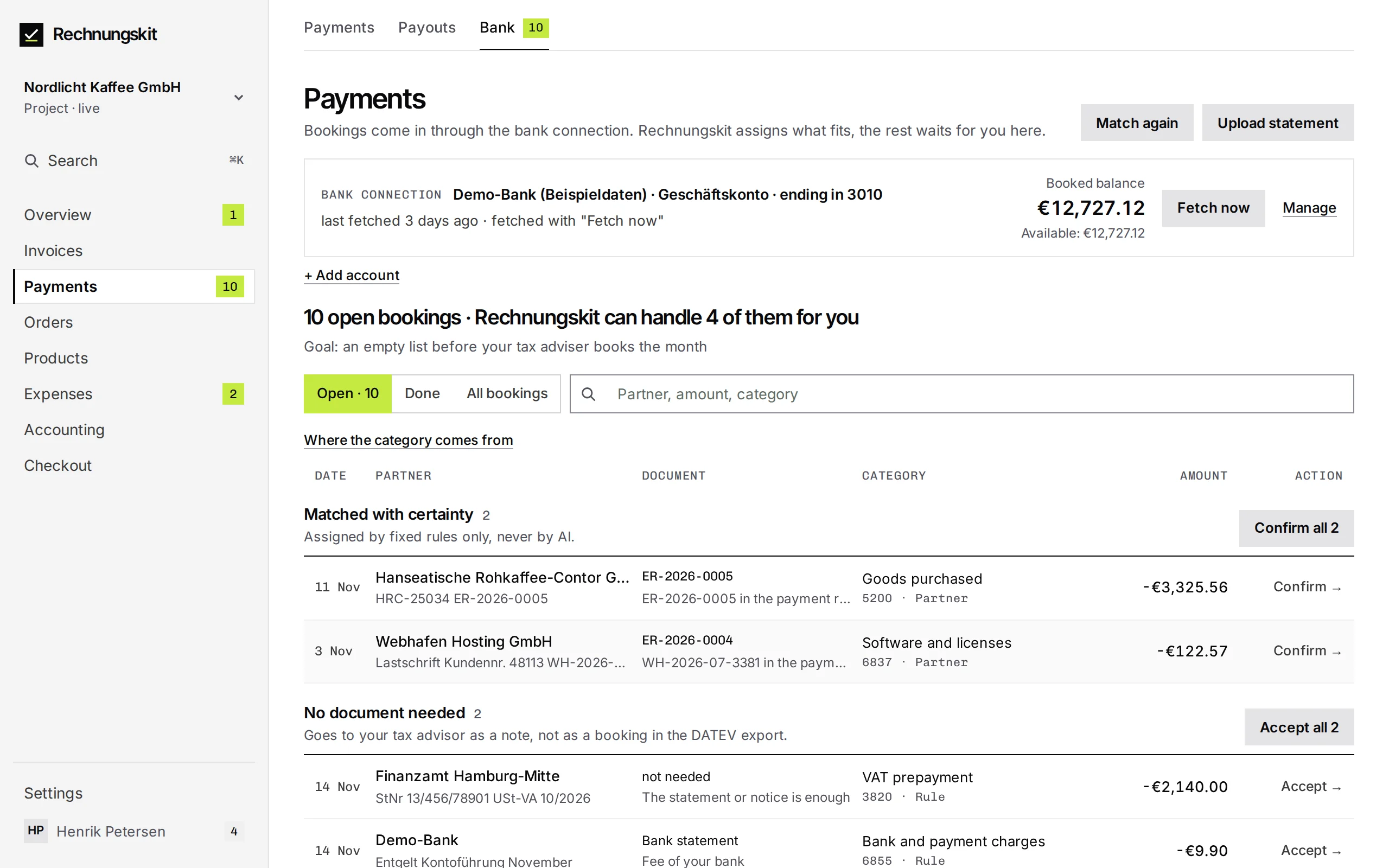
Instead of uploading statements, you can also connect a bank, a Qonto account or a PayPal account in bank reconciliation. Rechnungskit then fetches the booked transactions. When you connect, you choose the start date, up to 90 days back. On the old plan, a bank account costs 9 euros a month, starting no earlier than the month of your first document, and Rechnungskit asks before it adds one. The PayPal account costs nothing extra. On the new plan, one bank account is included.
Since November 16, Rechnungskit fetches new transactions on Mondays and Thursdays around 6:15 pm, plus on the last day of the month. For banks, that only happens if you've allowed it for the connection. By hand, "Fetch now" works once every 60 minutes per connection. When you disconnect a bank, you choose whether its accounts stay or go. The bookings stay in the archive either way. More under Connecting a bank (in German).
Every single change, small ones included, is in the changelog. If you have questions, ask Kit in the app or write to support@rechnungskit.de.