Sending invoices through your own AhaSend account
Updated
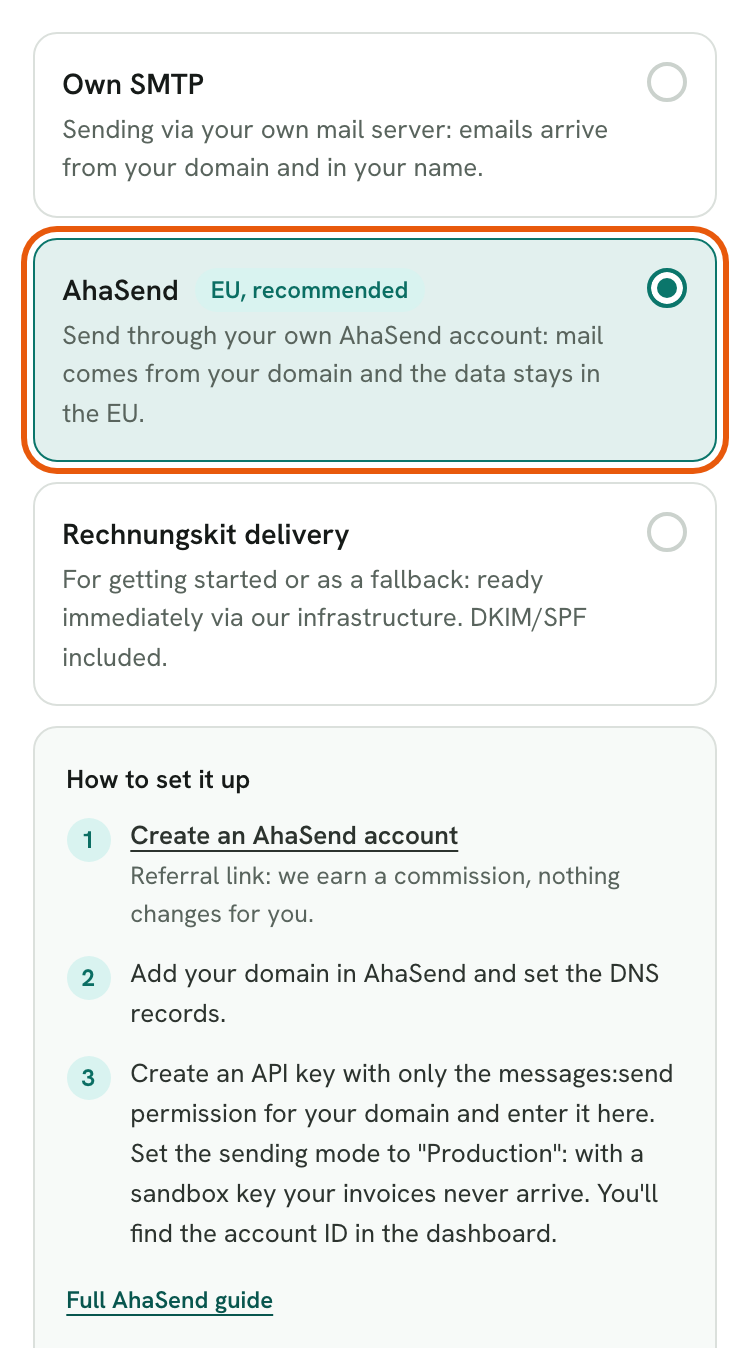
AhaSend is an email sending service based in the Netherlands, and your data stays in the EU. With the delivery method "AhaSend", Rechnungskit sends your invoices through your own AhaSend account. The emails come from an address on your domain, and you don't need a mail server of your own. Rechnungskit talks to AhaSend's API directly.
Why AhaSend
- We use it ourselves. Since 15 October 2026, all of Rechnungskit's emails go through AhaSend, including the "Rechnungskit delivery" method.
- Data in the EU. AhaSend B.V. is based in the Netherlands and stores all message data in the EU.
- Affordable. The first 1,000 emails a month are free.
- Built for sending from software. Gmail and Outlook mailboxes often have sending limits and need app passwords. AhaSend is made for emails from applications like Rechnungskit.
Setting it up
Create an account with AhaSend. Referral link: we earn a commission, nothing changes for you.
Add your domain in AhaSend and set the DNS records AhaSend shows you. You can send once AhaSend lists the domain as verified.
In AhaSend, create an API key with only the messages:send permission for your domain. Set the sending mode to "Production". A key in "Sandbox" mode accepts every email but delivers nothing, so your invoices would look sent and never arrive. You'll find the account ID in the AhaSend dashboard.
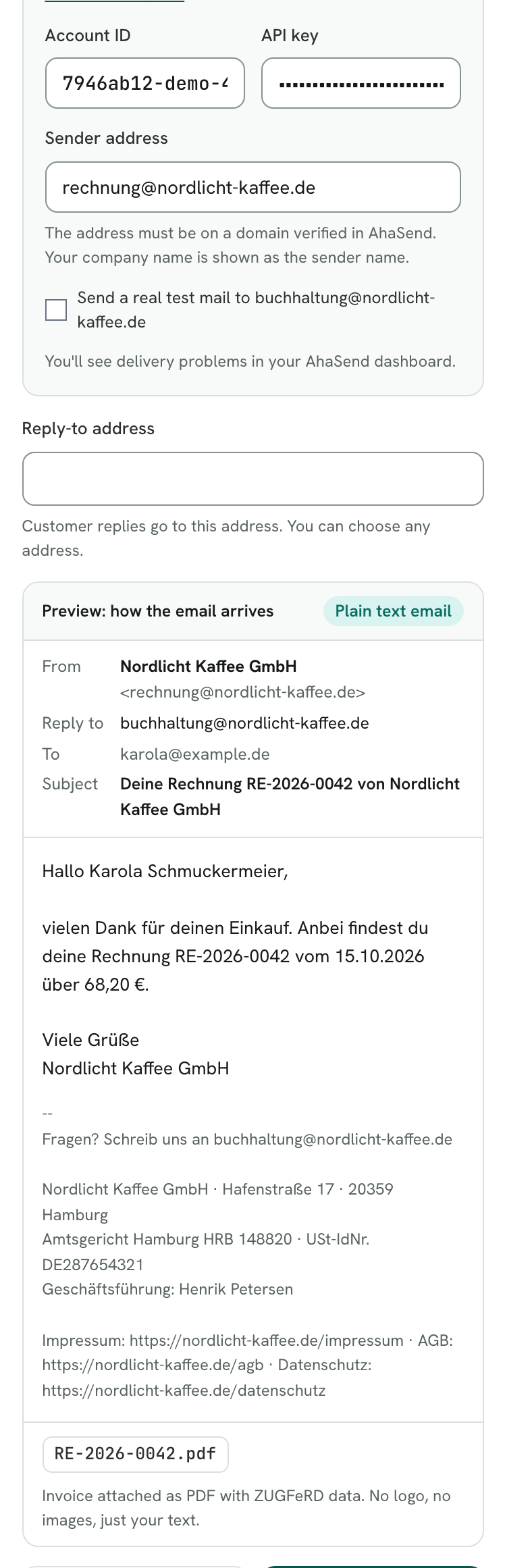
In Rechnungskit, open Settings → Email delivery, choose "AhaSend" and enter the account ID, API key and sender address.
Click "Test connection", then save.
Good to know
- The sender address must be on your verified domain. For example, enter invoices@your-company.com if your-company.com is verified in AhaSend. If the address is on a different domain, AhaSend rejects the send. Your company name appears as the sender name.
- The key stays secret. Rechnungskit stores the API key encrypted and never shows it again after saving. Leave the field empty to keep the saved key. If you change the account ID, Rechnungskit asks for the key again.
- The test delivers nothing. "Test connection" and the check on saving send a message in AhaSend's sandbox mode. AhaSend checks the key, permission and domain as it would for a real send, but delivers nothing and charges nothing. For a real test email, tick "Send a real test mail to …" before testing. It goes to the contact address in your company details.
- You'll see delivery problems in your AhaSend dashboard. If an invoice bounces, AhaSend shows it there. With your own account, these reports don't reach Rechnungskit. Anything AhaSend rejects at send time shows up on the invoice and as a task in Rechnungskit.
Error messages and what they mean
| Message in Rechnungskit | What's behind it | What to do |
|---|---|---|
| The API key is invalid or has been deleted. | AhaSend doesn't know the key (HTTP 401) | Create a new key in AhaSend and enter it |
| AhaSend rejects the send | The domain isn't verified, or the key lacks the messages:send permission for it (HTTP 403) | Verify the domain in AhaSend, check the key's permission, use a sender address on that domain |
| AhaSend could not be reached. | No response, or an error at AhaSend | Wait a moment and send again |
| AhaSend rejected the recipient address. | AhaSend won't accept the address, for example after an earlier hard bounce | Check the customer's email address |
Where to find it in the app
Rechnungskit is not a tax advisory or law firm. This article explains general principles and does not replace advice from a tax advisor (Steuerberater, § 5 StBerG) or a lawyer (§ 3 RDG). Rechnungskit is built for businesses based in Germany and prepares documents, tax rates and bookings automatically. How your specific case is treated remains your decision, ideally together with your tax advisor or a lawyer.